Every check, filtered
Filter by vehicle, driver, result or period, then download selected checks as a ZIP. A red count shows defect reports that still need to be acknowledged.
Daily vehicle check
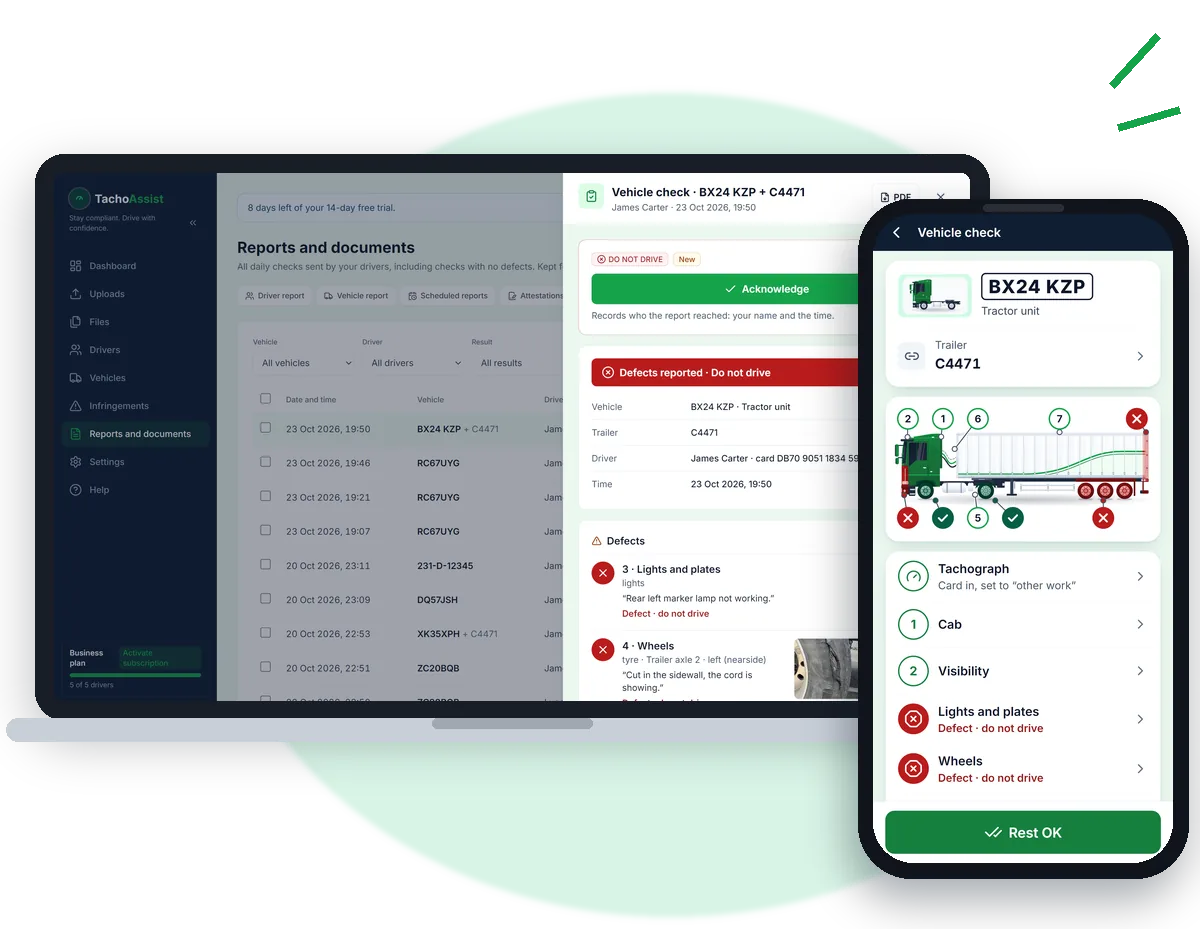
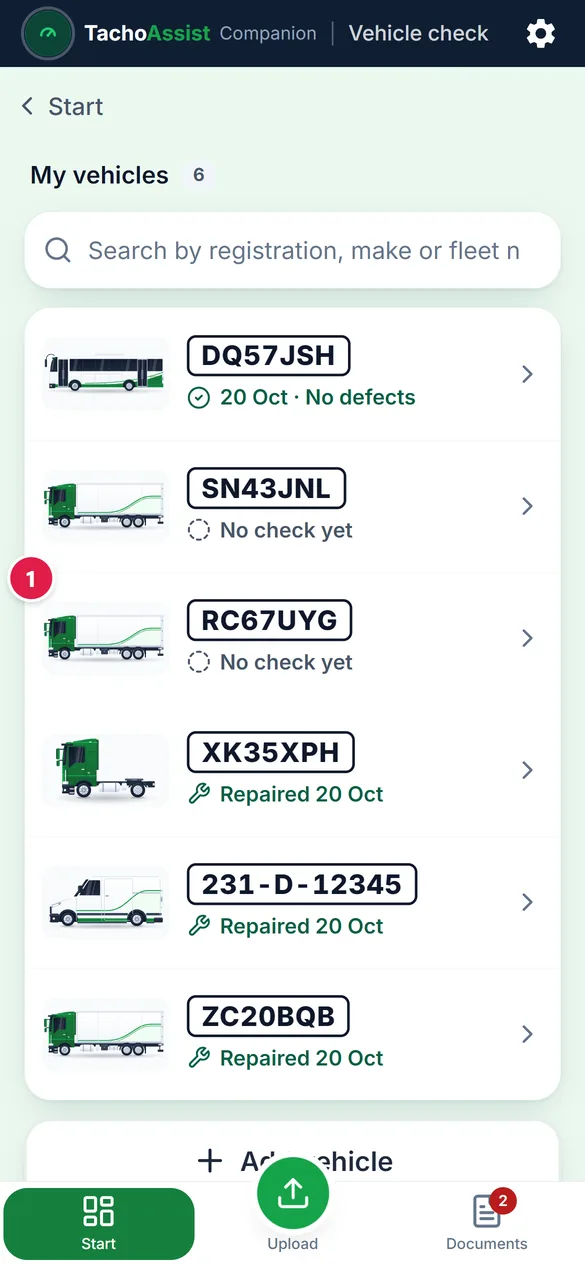
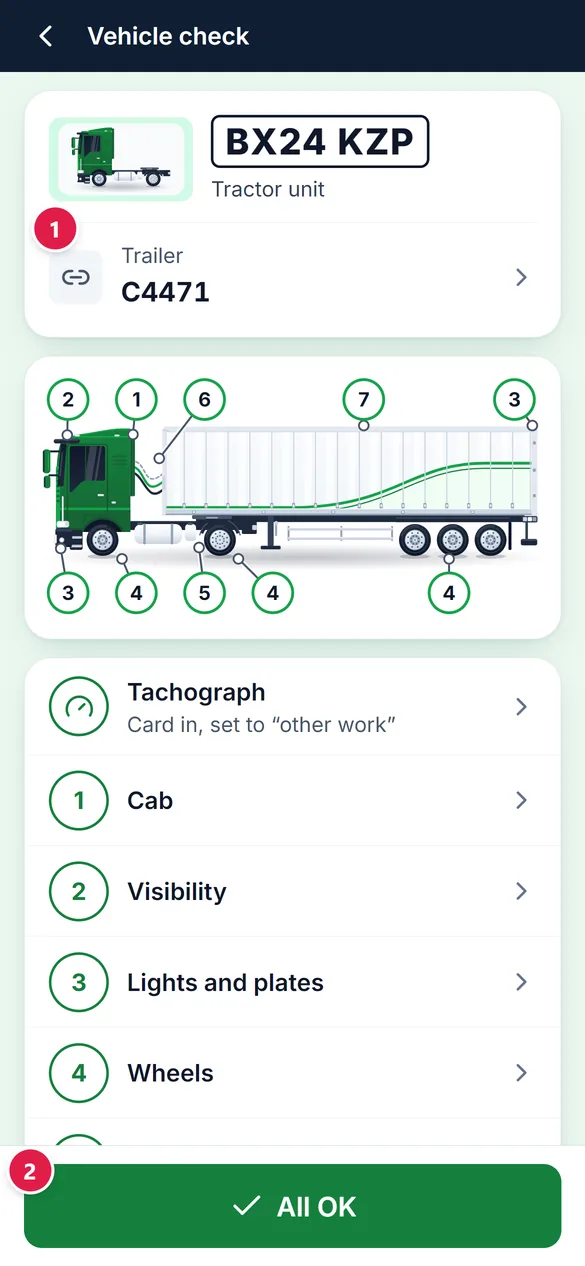
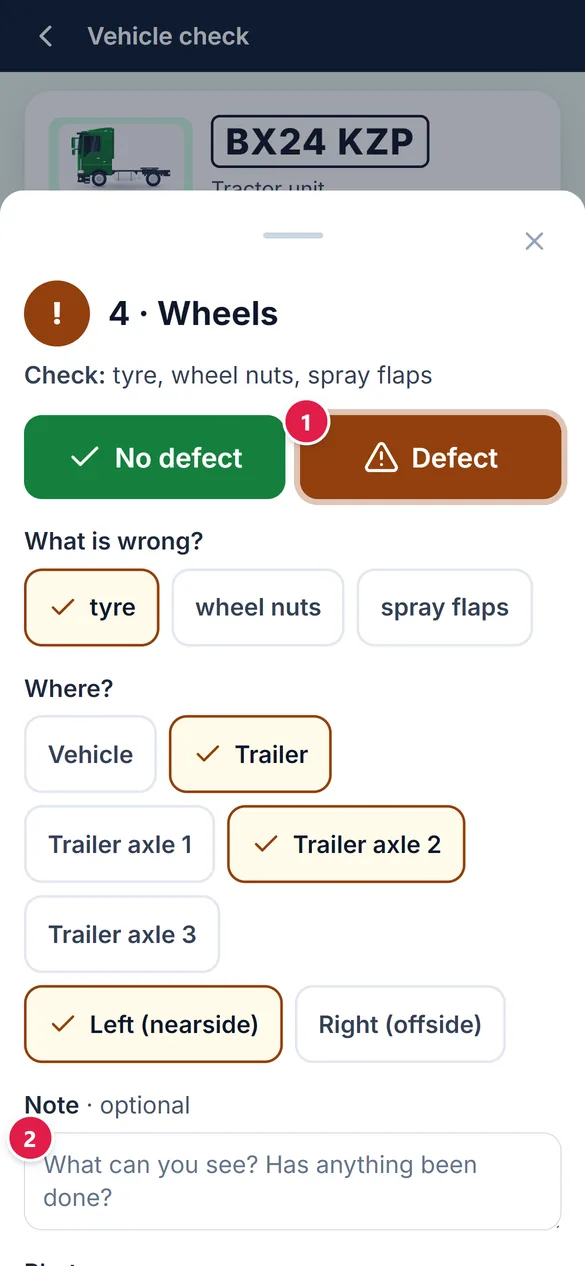
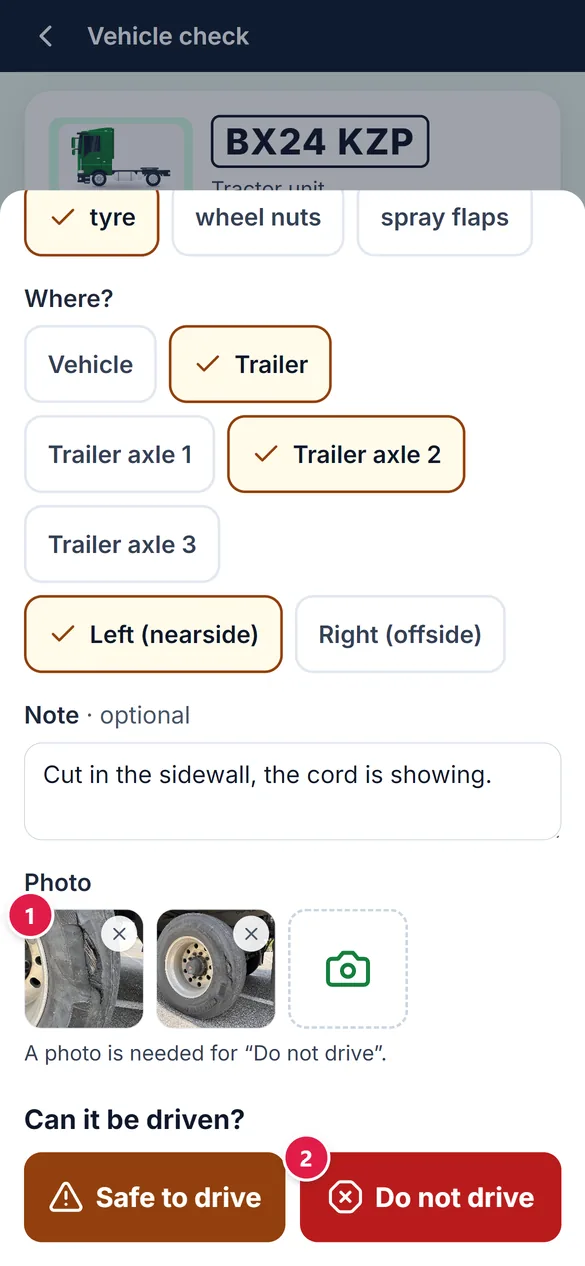
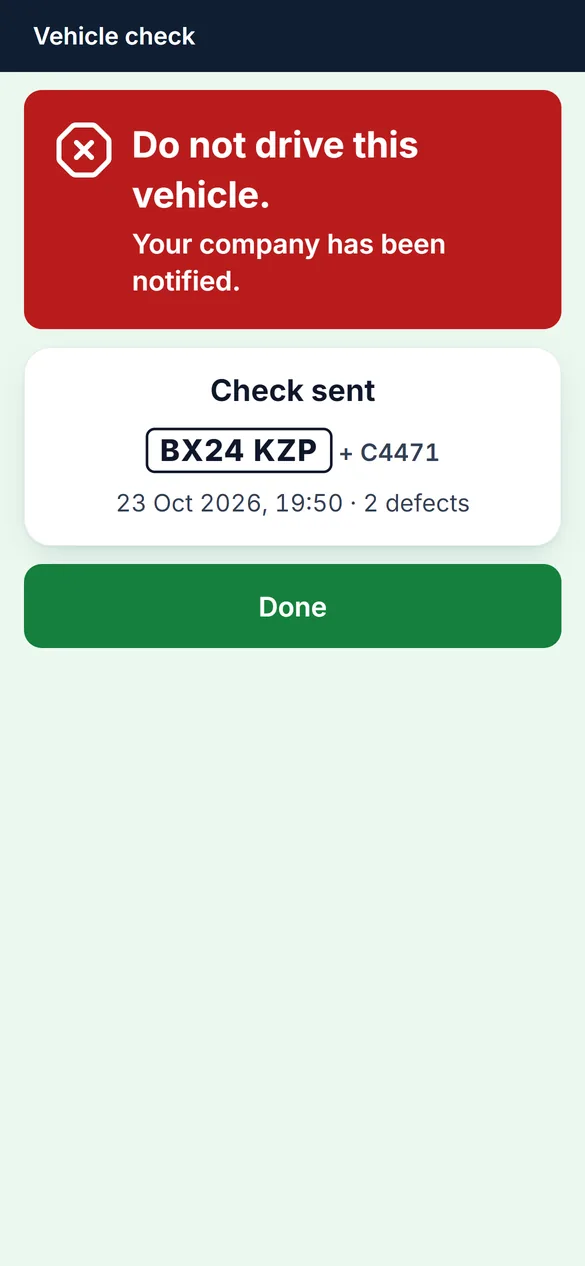
Drivers complete the daily walkaround check on their phone in the TachoAssist Companion app. No defects? Send a nil defect report in a few taps. Found a defect? Add photos and mark the vehicle as Safe to drive or Do not drive. The office sees each check under Reports and documents → Vehicle checks, then acknowledges it and records the repair.
Included in the Business plan. No payment card to start. No minimum term.
Paper defect sheets only work if they are completed before the vehicle moves and reach the office the same day. GOV.UK tells drivers to use the system provided by their employer, and the Guide to Maintaining Roadworthiness accepts electronic defect records with reliable dates and times.
TachoAssist puts the check on the driver’s phone and keeps the record in the same workspace as your tachograph analysis.
Five steps, the same for every vehicle type.
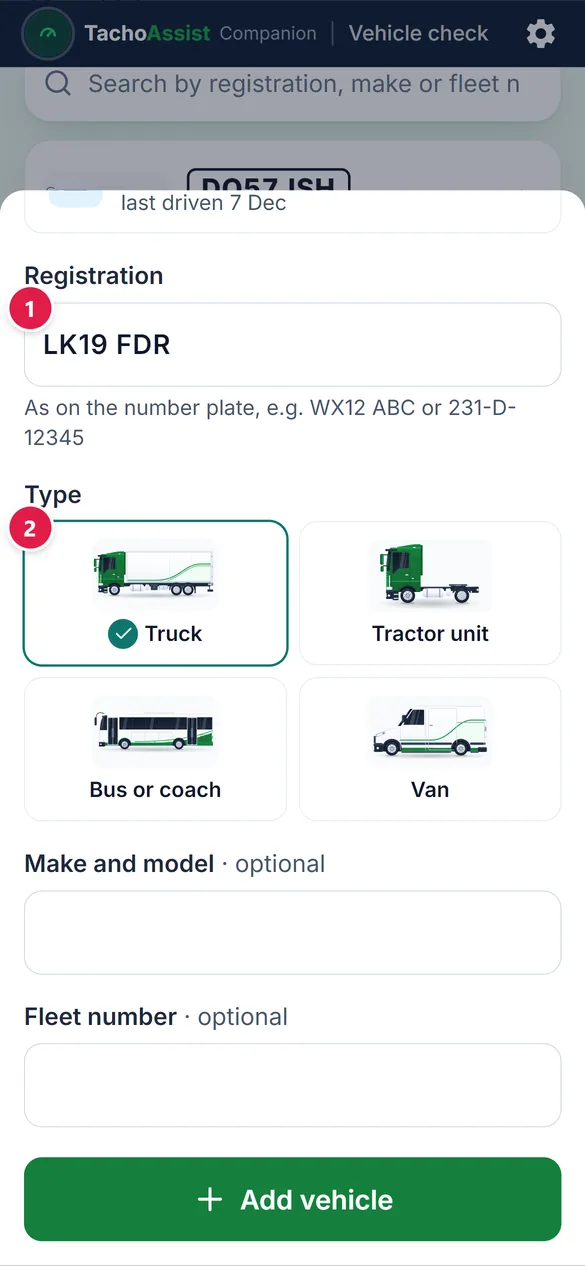
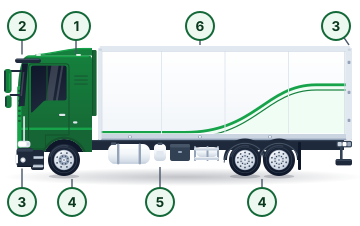
Choose the vehicle type once for each registration number. For a minibus, select Bus or coach.
 Truck
Truck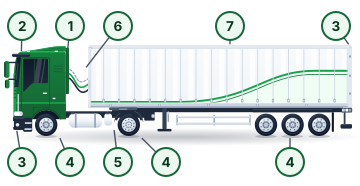 Tractor unit
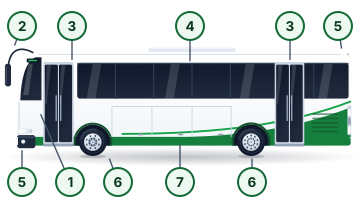 Bus or coach
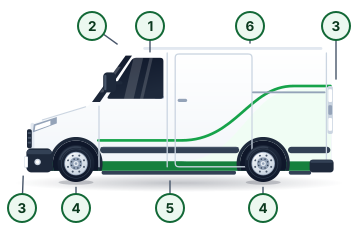 Van
VanTachograph analysis and walkaround checks
The Guide to Maintaining Roadworthiness says drivers using tachograph records should record the walkaround check and related repairs as “other work”. The check reminds them: the Tachograph row reads “Card in, set to ‘other work’”.
See how tachograph analysis and vehicle checks work together
GOV.UK’s HGV walkaround guide lists what a check record should contain. Every check sent from the Companion app records:
The guide also says to record nil defects and notes that DVSA can ask to see walkaround check records at a roadside check. Drivers can see their last 7 days of checks in the Companion app, with each PDF in English.
Defect reports must be kept for at least 15 months. TachoAssist keeps every check, including nil defect reports, for at least 15 months.
Traffic commissioners describe apps as support tools, not a replacement for the physical inspection. The driver still walks round the vehicle; the app records the check and sends it to the office.
Reports and documents → Vehicle checks: every check your drivers send, on desktop or phone.
Filter by vehicle, driver, result or period, then download selected checks as a ZIP. A red count shows defect reports that still need to be acknowledged.
Open a check to see the defects, photos, checked zones and the driver’s declaration. Acknowledging the report records who received it and when.
Record the repair date, who carried it out and what was done. The check then shows Repaired, with the date and name.
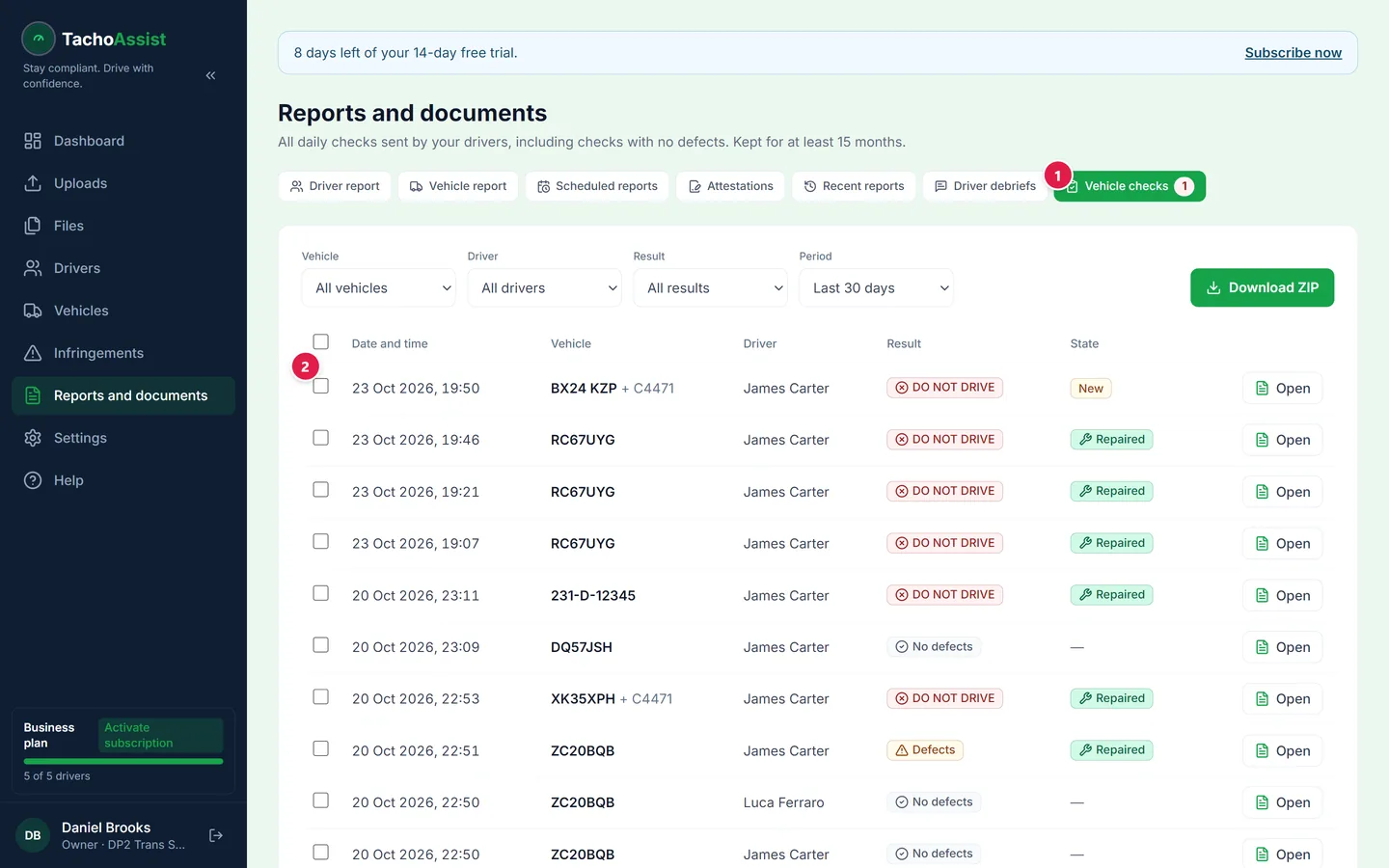
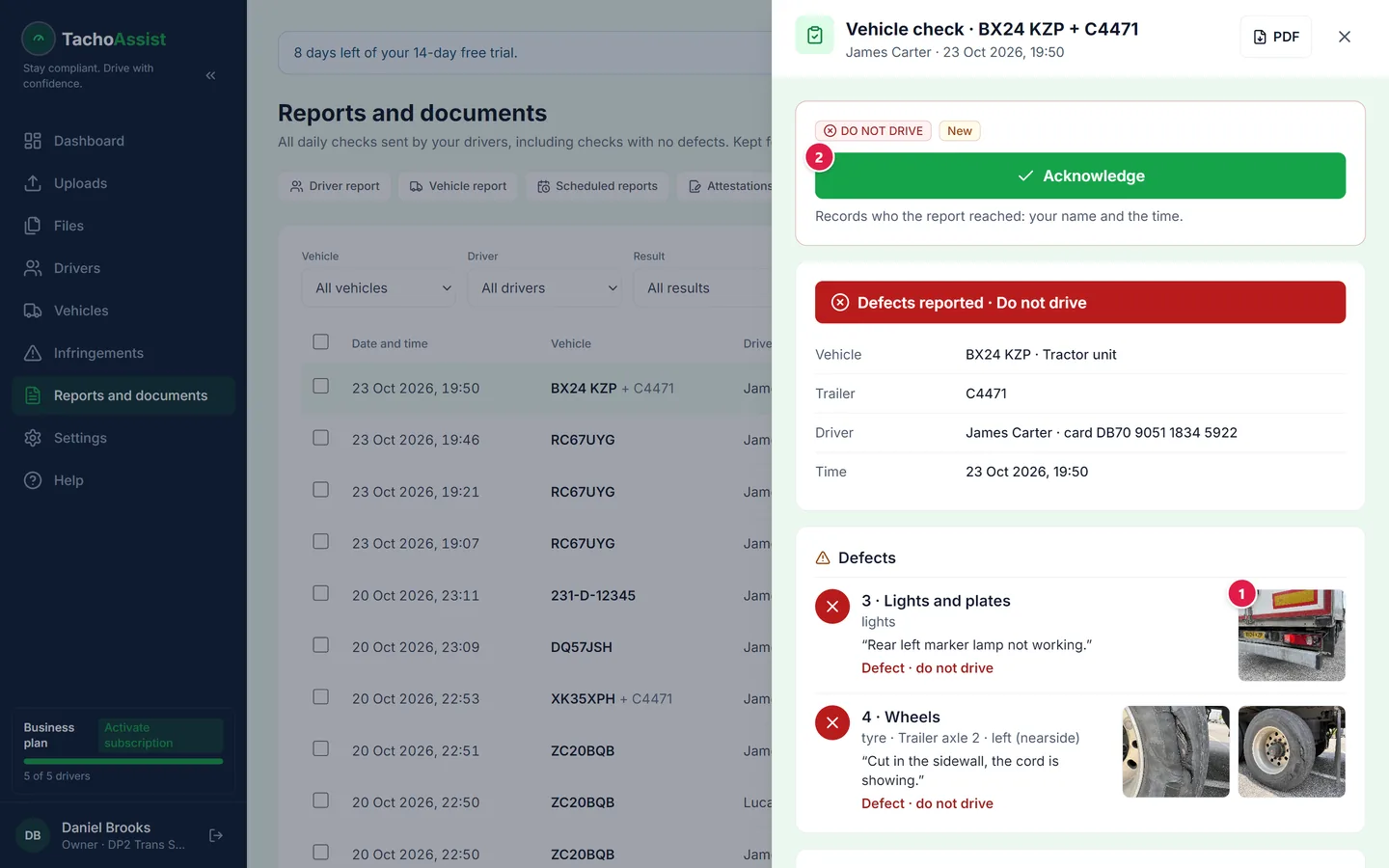
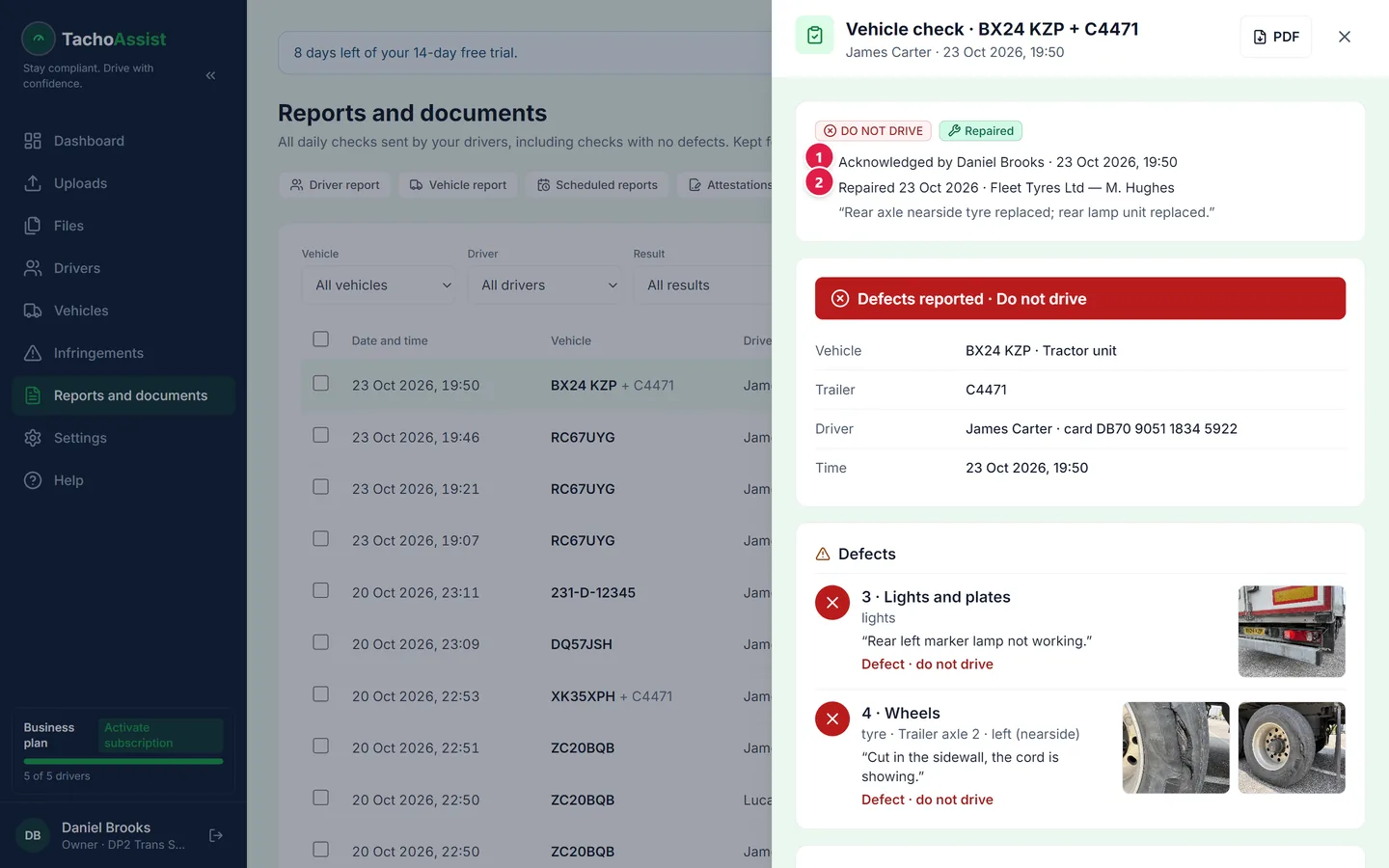
Every check is saved as a PDF. These examples use a demo company, demo driver and made-up registrations.
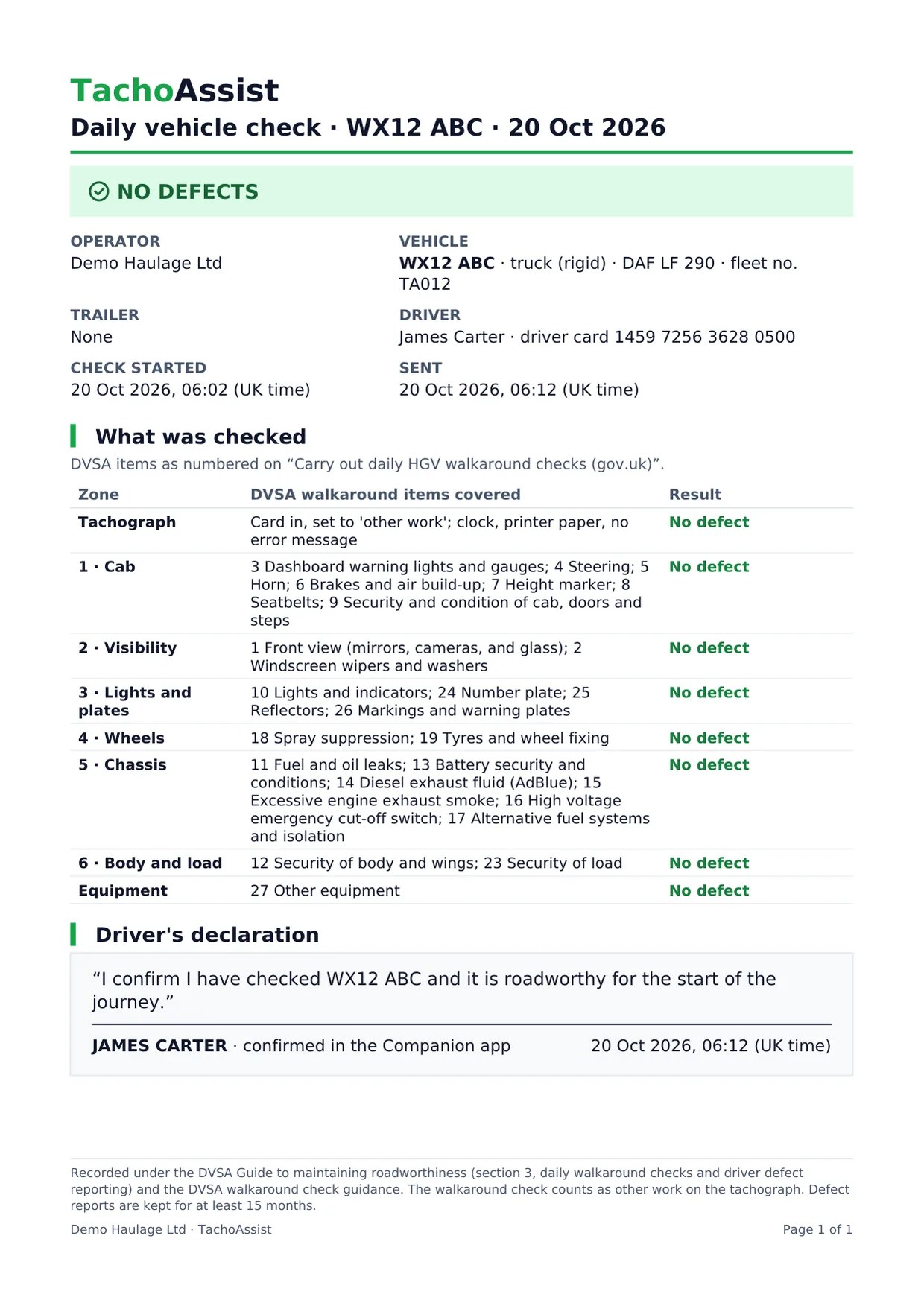
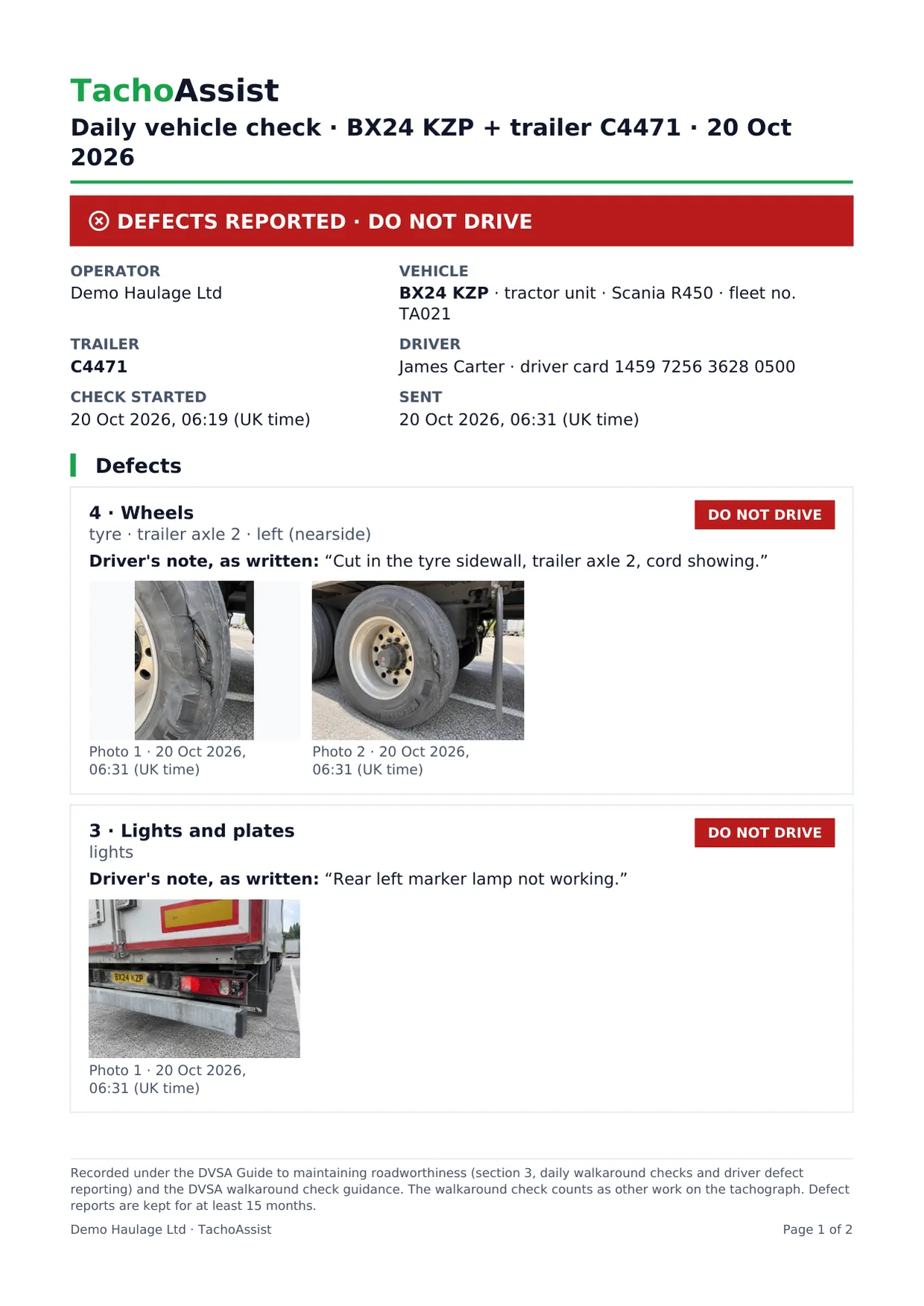
Traffic commissioners describe the walkaround check as “a legal duty and safety priority”. Their 2025 statement lists possible consequences for operators, including OCRS impact and action against the licence, up to revocation.
For DVSA Earned Recognition, the operator standard expects a process that shows walkaround checks are carried out effectively, including a nil defect process.
How tachograph infringements feed your OCRS · Earned Recognition and the tachograph KPIs
Irish operators follow RSA and CVRT rules, with defect records kept for two years. See the daily walkaround check app for Irish fleets.
Pricing
Vehicle checks are included in the Business plan at no extra cost: £2.50 for each driver whose data you analyse that month — about 58p a week.
A vehicle check records the driver’s own assessment. TachoAssist does not decide whether a vehicle is roadworthy and is not DVSA approved. The operator remains responsible for the walkaround routine, defect reporting and repairs.
Official sources
Questions
Yes. DVSA guidance allows drivers to use the system provided by their employer, and the Guide to Maintaining Roadworthiness accepts electronic defect records. Records of reported defects and repairs must be available for at least 15 months. The driver must still carry out the physical walkaround check.
DVSA provides a free printable defect report form. TachoAssist vehicle checks are included in the Business plan, which you can try free for 14 days without a payment card.
The guidance does not set a fixed time. The check should take as long as needed to inspect the vehicle properly. Drivers using a tachograph should record the check as other work.
At least 15 months under the Guide to Maintaining Roadworthiness, together with the repair record. Keeping nil defect reports is also good practice. TachoAssist keeps every check, including nil defect reports, for at least 15 months.
The check appears under Reports and documents → Vehicle checks. A red count shows it until someone acknowledges it. If the driver selects Do not drive, the account owner and all admins are emailed straight away. You can then acknowledge the report and record the repair date, who did the work and what was done.
No. TachoAssist is not DVSA approved and is not a validated DVSA Earned Recognition supplier. The check follows the items in DVSA’s published walkaround guidance and records the information drivers are expected to keep.
No. The Companion app opens in the driver’s phone browser from the invitation link. It works on the driver’s own phone or a company device. A signal is needed to send the check. If the connection drops, the answers stay on screen until the driver tries again.
Vehicle checks in the Business plan
Register and try it with your own drivers for 14 days. No payment card. No minimum term.