Tachograph analysis software for professional drivers

Stay compliant. Drive with confidence.

Download your driver card, upload the file and review your own activity the way an analyst would: driving, working time, possible infringements and the values behind each finding — on your computer or phone.

START FREE TRIAL
GET IT ON Google PlayDriver app for Android · 14-day free trial
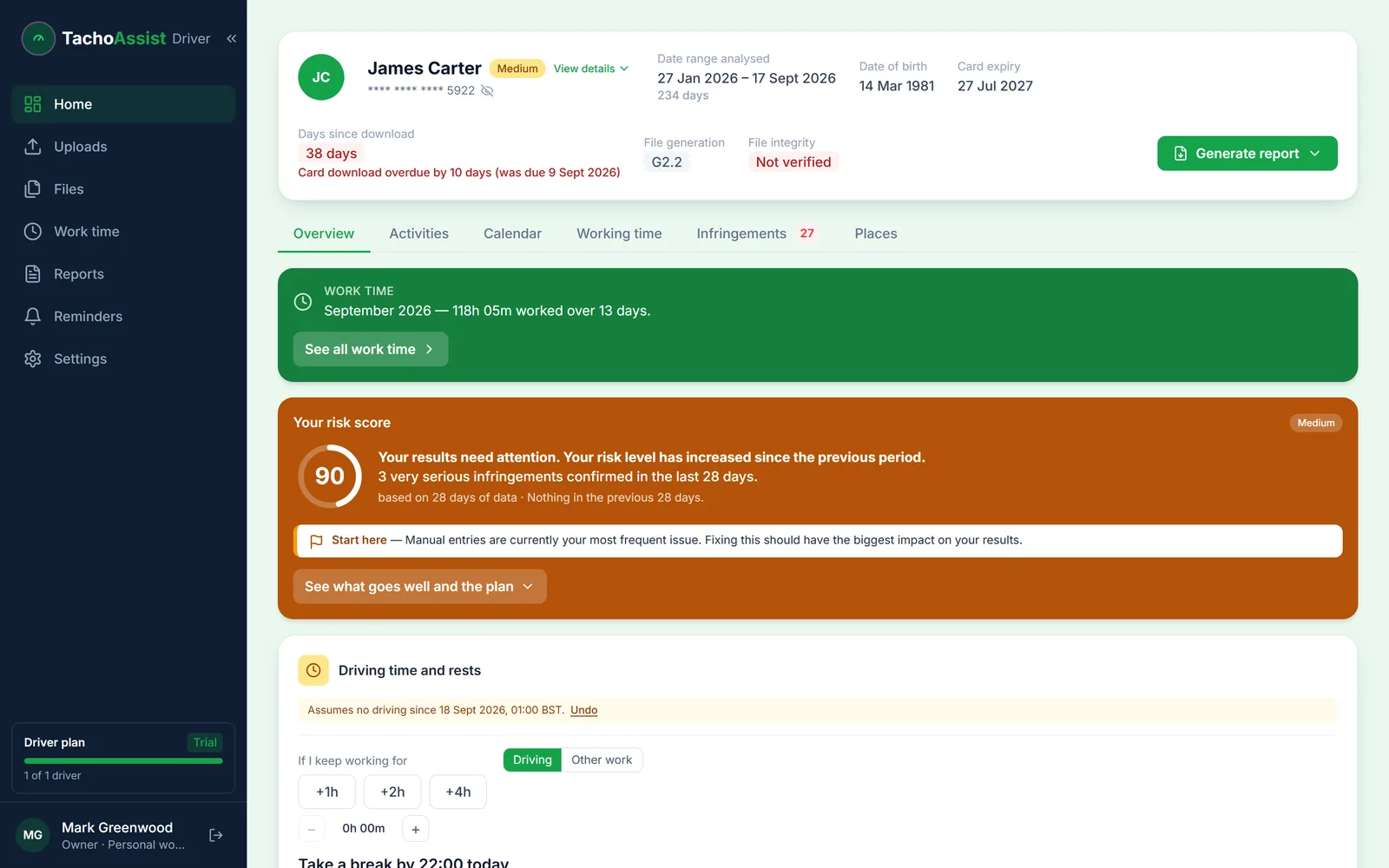
TachoAssist Driver on a computer: work time for the period, the driver’s risk score and the driving time and rests card
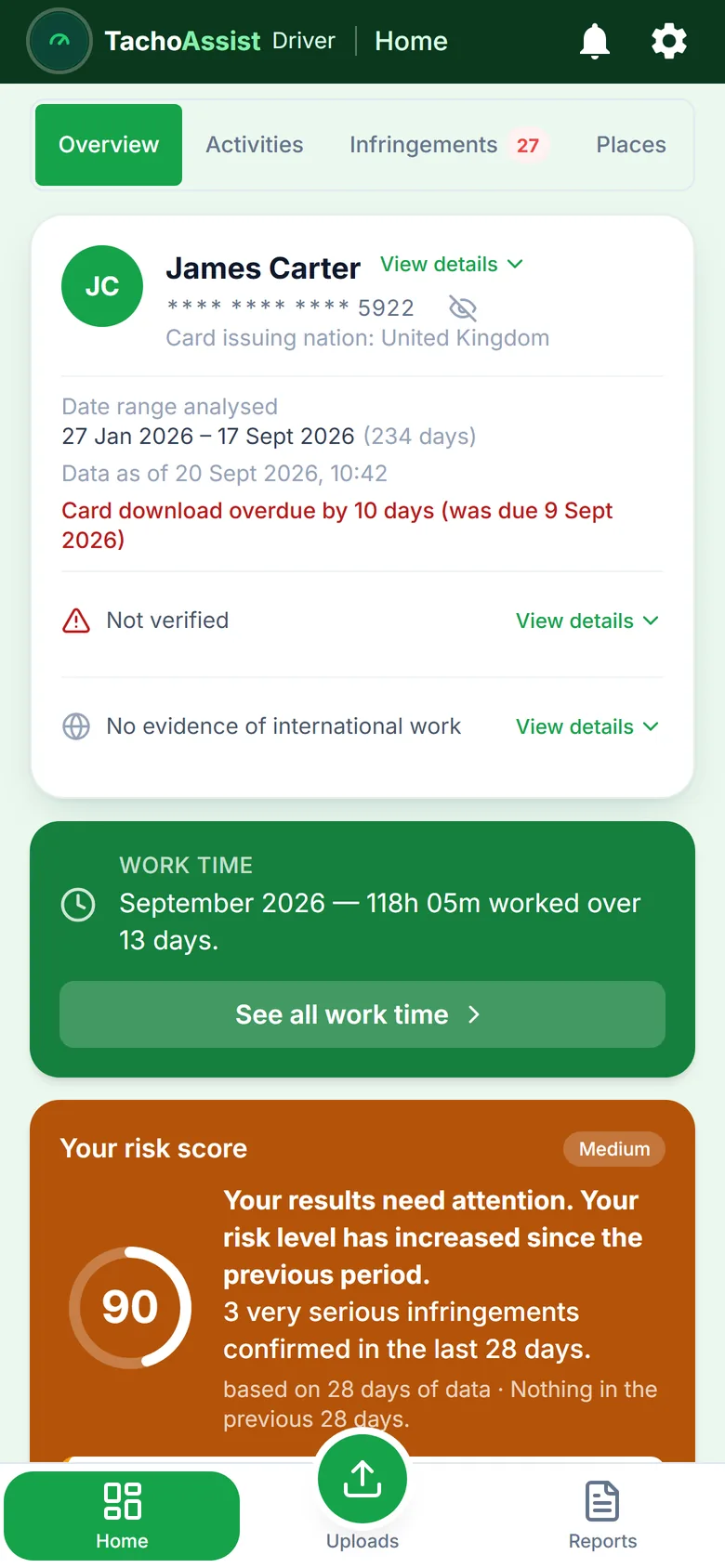
TachoAssist Driver on a phone: work time summary and the risk score with a ‘Start here’ tip

See what is on your card before anyone else reviews it.

TachoAssist Driver is built for one driver — you. Your uploaded files, daily activity, driving and working time, possible infringements, calendar and reports are all kept in one place, so you can see what the tachograph recorded and where problems may have occurred.

It is useful before a debrief, when you want to know what your transport manager may raise; afterwards, when you want to check the dates and figures yourself; or when you move between operators and want to keep your own records.

TachoAssist works from the card files you upload. It does not track the vehicle live. Everything shown is calculated from your latest card read, so always use the tachograph in the vehicle for your current driving and rest limits.

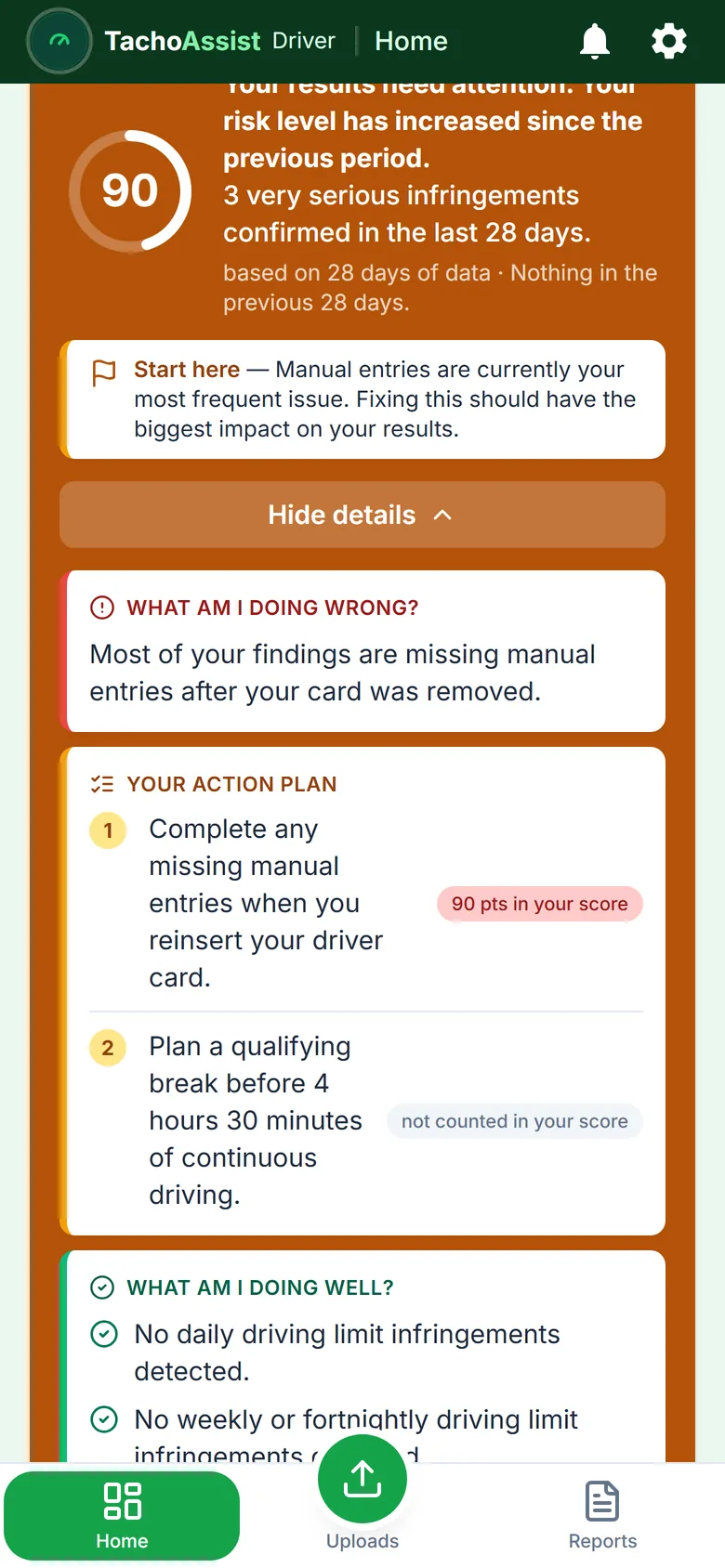
TachoAssist Driver risk score opened on a phone: what is going wrong, a numbered action plan with the points each habit costs, and what is going well

Your risk score, with advice

One score, the biggest problem, and what to improve first.

TachoAssist turns confirmed infringements into a single risk score and shows where the points come from. It is TachoAssist’s own score, based on the EU seriousness categories — not an official rating and not your operator’s OCRS.

  • “Start here”: the change that would reduce your score the most
  • An action plan ranked by the impact of each recurring issue
  • What you are already doing well
  • Progress compared with the previous 28 days

Driving time and rests

Plan your next shift from your latest card read.

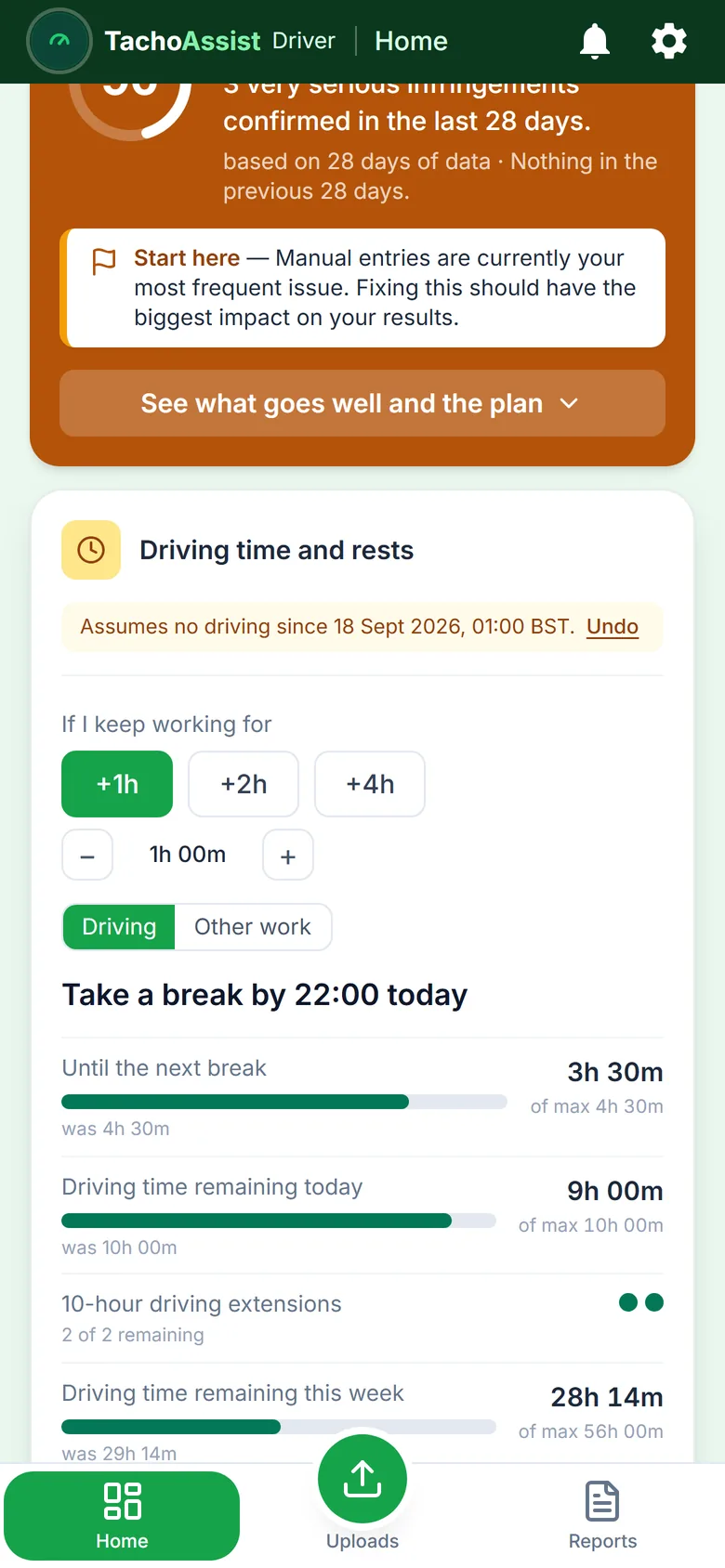
Eight counters show your position when the card was last read: daily, weekly and fortnightly driving, required breaks, and daily and weekly rest. Choose your start time and planned driving time, and TachoAssist shows when your next break is due, when driving must stop and when rest must begin.

  • Works with a card read from the last 24 hours
  • Older read? Confirm that you have not driven since, then continue planning
  • Not live: always check your current limits on the tachograph in the vehicle
TachoAssist Driver on a phone: driving time and rests counters with the shift planner and the next break time

Work time, day by day

Your hours for any period, including gaps you can explain yourself.

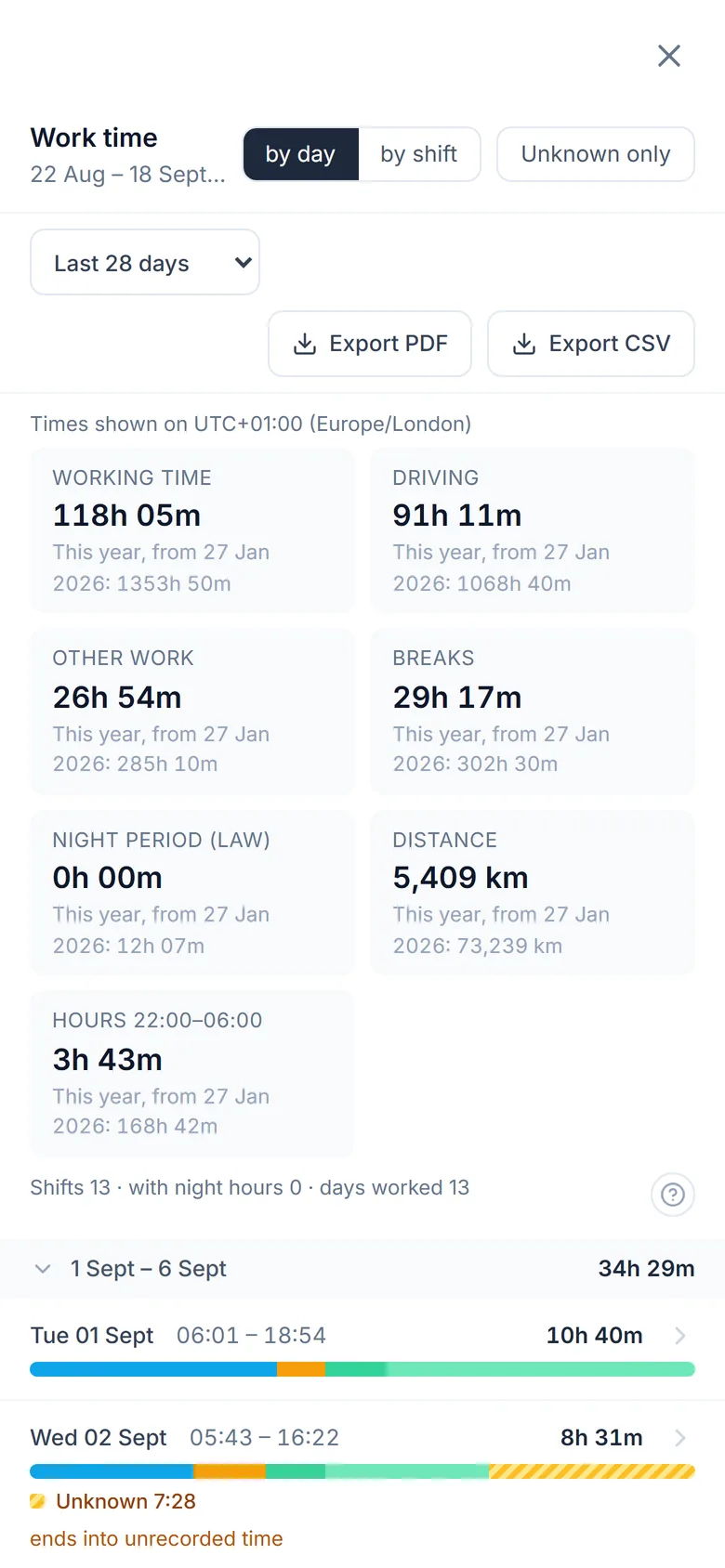
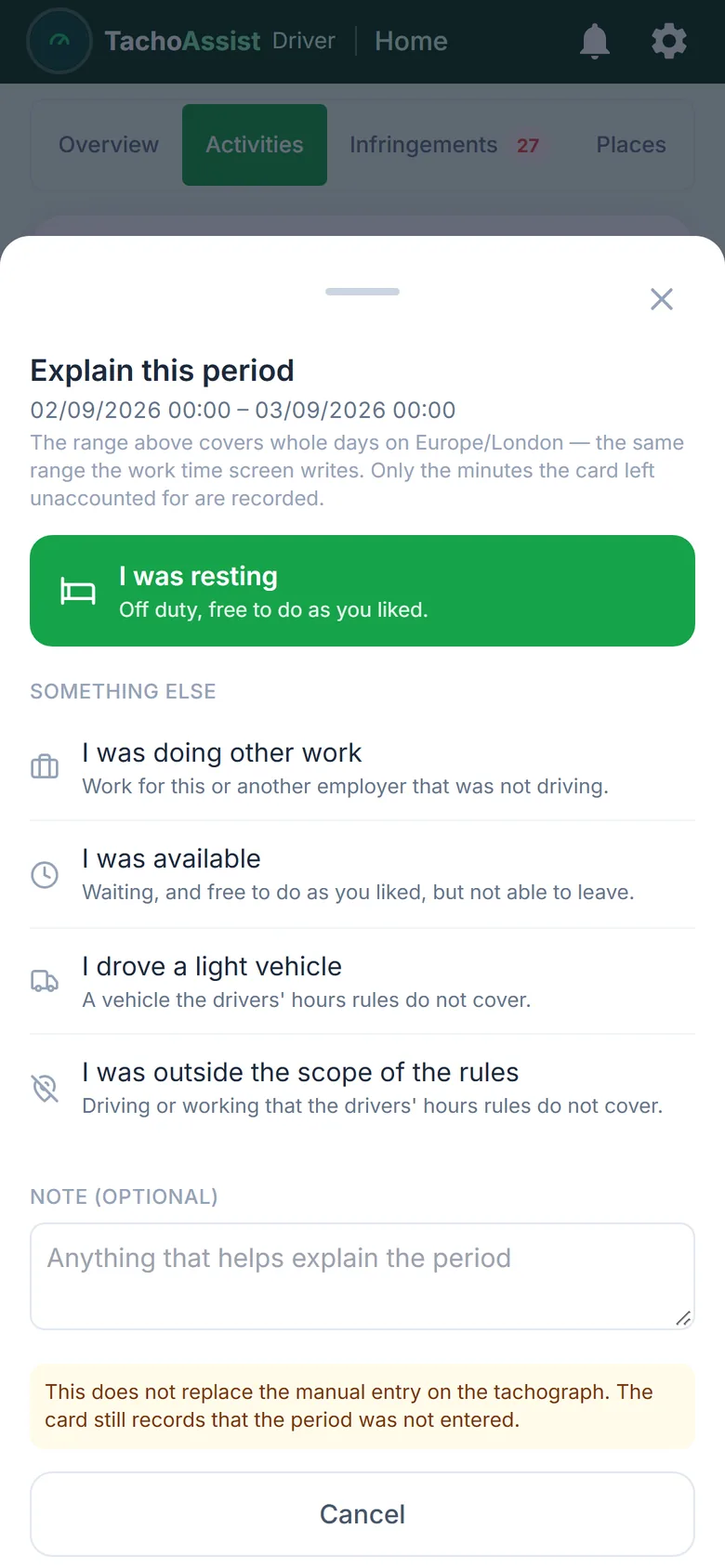
Choose a month, the last 28 days or your own date range. Each day shows driving, other work, availability, breaks and rest on a 24-hour timeline, grouped into weeks with total hours. Time that cannot be accounted for from the card is highlighted and is never automatically treated as rest.

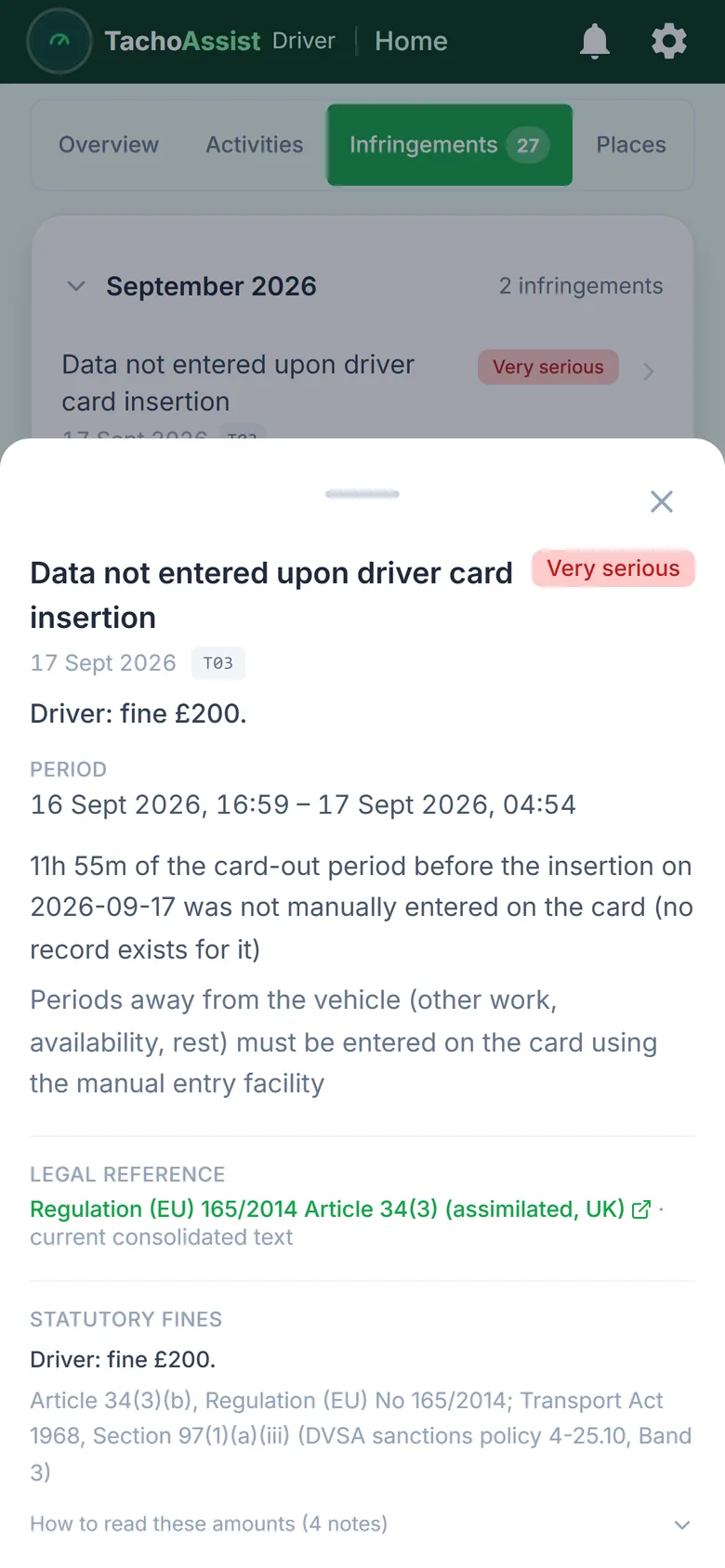
TachoAssist Driver on a phone: one infringement opened with its severity, measured values, the legal reference and the indicative fine

Your infringements, explained

See the rule, the measured values and the indicative penalty.

Review possible drivers’ hours, Working Time (WTD) and tachograph infringements with the date, measured values, explanation, legal reference and seriousness level. For work in EU countries, TachoAssist can also show an indicative fine based on the national penalty catalogue for that country. For GB work it shows the driver’s graduated fixed penalty under the DVSA Enforcement Sanctions Policy.

  • Available in 15 languages, including English, Polish, German, Spanish, French, Italian and Romanian
  • Fine estimates are indicative only and do not predict the decision of an enforcement officer
  • Use the timeline and calendar to review the sequence of activity across the day

From the card to the analysis

Three steps, about a minute.

1. Read your card

Use the free TachoAssist Card Reader app on Windows or Android with a standard USB smart-card reader. No TachoAssist account is required just to read and save the file. Already have a .DDD file from your operator or another download tool? You can use that too.

2. Upload the file

Send it directly from the reader app or upload it through the website from your computer or phone.

3. View the analysis

Once processing is complete, you can review your working time, risk score, possible infringements and driving-time counters.

Your own records

Reports and reminders without fleet-management features.

Your reports

Create a report from your own card data for whatever period you need — a week, a month, or the run-up to a debrief — and fill in an Attestation of Activities when you have been off sick or on leave.

Dates that matter

Your card expiry date, the days since your last available download and a reminder before the 28-day card download deadline.

Places and file history

See where each day started and ended, review recorded border crossings and return to any file you previously uploaded. Your own card history stays available on your account.

Important: automated analysis can help identify possible infringements, but it is not legal advice and does not guarantee that every issue has been identified.

Questions

Tachograph software for drivers FAQ

What can I upload?

Your own driver card files. Vehicle unit (VU) files, multi-driver fleet tools and Business API upload belong to the Business plan.

How much is the Driver plan?

£2.49 a month for one driver profile — about 57p a week. Prices are in GBP and no VAT is charged, there is no minimum term, and no payment card details are needed to start the 14-day free trial.

Does it work on my phone?

Yes. TachoAssist runs in your phone’s browser with a layout made for the phone, and on a computer with a wider one — the same account and the same data on both. There is nothing to install to use it.

Does it show my remaining driving time for today?

It shows where your driving, break and rest counters stood when your card was last read, and lets you plan the next shift from there. It is not live: TachoAssist does not know what you have driven since the read, so always check your current limits on the tachograph in the vehicle.

Can I use it if my operator already analyses my card?

Yes. Plenty of drivers want their own copy of the record — the same dates, measured values and legal references — before a debrief, or when moving between operators. TachoAssist analyses the file you upload and does not connect to your operator’s system.

Does TachoAssist decide what an unknown period means?

No. TachoAssist shows the gap and lets you explain it yourself; it never classifies the missing activity automatically, and your explanation does not replace the manual entry on the tachograph.

Driver: £2.49 a month — about 57p a week, no VAT charged

Start with your own card file.

Register for a 14-day free trial. No payment card details needed to start, and no minimum term.