Driver card files
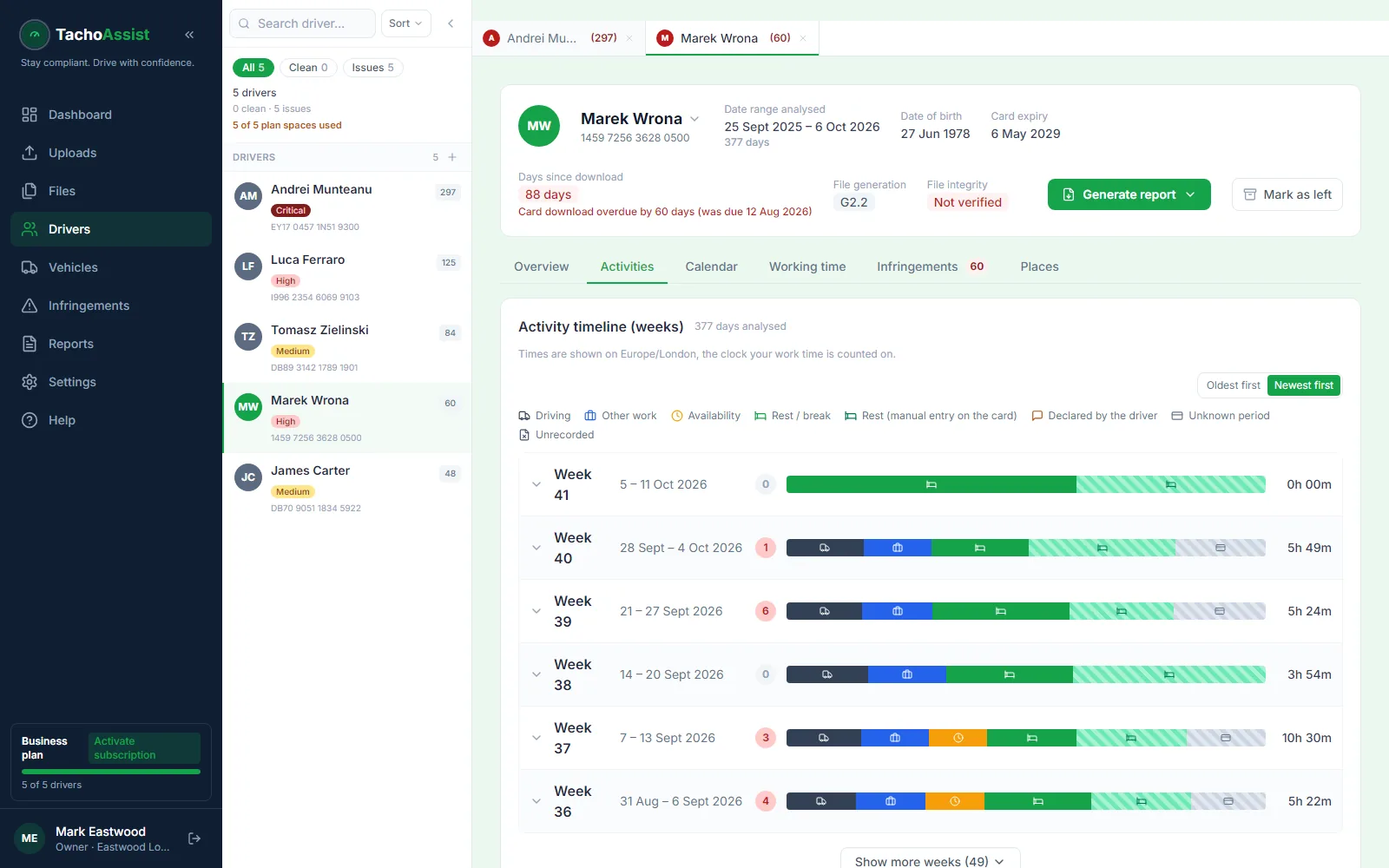
Review driving, other work, POA (period of availability), breaks, rest, manual entries and unknown periods across day, week, timeline and calendar views. Supported by Driver and Business.
Online tachograph file viewer
It opens in your browser — nothing to install. Use TachoAssist as a browser-based tachograph file viewer for driver cards and vehicle units, then move from .DDD source records to activity, infringements and reports. It also reads .esm, .tgd, .c1b, .v1b and .a1b files, and ZIP archives when you have a batch of them.
A .DDD file is an original download from a digital tachograph driver card or a vehicle’s tachograph unit. Specialist software is needed to translate the signed records into something a driver or operator can review.
Want to check a file first, without an account? The free DDD file check shows the last 28 days.
TachoAssist keeps the source file connected to its analysis. It is more than a raw tachograph file reader: you can follow activity, investigate infringements and create evidence for a chosen period — without a desktop install, a licence key or an IT ticket.
The file source determines which records are available and which plan is required.
Review driving, other work, POA (period of availability), breaks, rest, manual entries and unknown periods across day, week, timeline and calendar views. Supported by Driver and Business.
Review vehicle identity, detected drivers, events, faults, downloads, odometer records and recorded locations. Supported by Business.
Keep uploads tied to their source, review file history and manage retention, deletion or archiving from the same workspace.
Supported files
Tachograph downloads in the UK usually use .DDD, while files elsewhere in Europe may use other extensions. You may receive several formats if you run a mixed fleet or use agency drivers.
.ddd (UK, Germany, most of Europe), .esm, .tgd (Spain), .c1b and .v1b (France — card and vehicle), .a1b. TachoAssist reads all of them.
Drop in a ZIP straight from the download key or the bureau and the files inside are unpacked and analysed together, rather than one at a time.
The records are digitally signed at source. If a file is truncated or the expected days are not in it, that shows up as missing data to investigate — it is not quietly filled in.
Opening a file online does not transfer the duty. Tachograph records must be available for at least 12 months, Working Time (WTD) records for two years. Keep the originals.
Important: automated infringements support compliance work and must be reviewed. They are not legal advice or a definitive statement of compliance.
Open your .ddd files free for 14 days, with no payment card. After the trial the Driver plan is £2.49 a month; Business is £3.49 per driver analysed each month.
Questions
TachoAssist opens driver card and vehicle unit .DDD files in a modern web browser and presents their tachograph records as readable analysis rather than raw file data. There is nothing to install and no desktop software to license.
No. The viewer runs in the browser you already have, on Windows, macOS, Linux, a tablet or a phone. Register, upload the file and the analysis appears; nothing is installed on the machine and there is no IT involvement.
Alongside .ddd, TachoAssist reads .esm, .tgd, .c1b, .v1b and .a1b files, which are the extensions used by different national authorities and download devices for the same underlying tachograph data. You can also upload a ZIP archive containing several files at once.
No. A driver card file centres on one driver’s activities and card records. A vehicle unit (VU) file contains vehicle tachograph records such as identified drivers, events, faults and recorded positions. Reviewing both together is what shows the full picture.
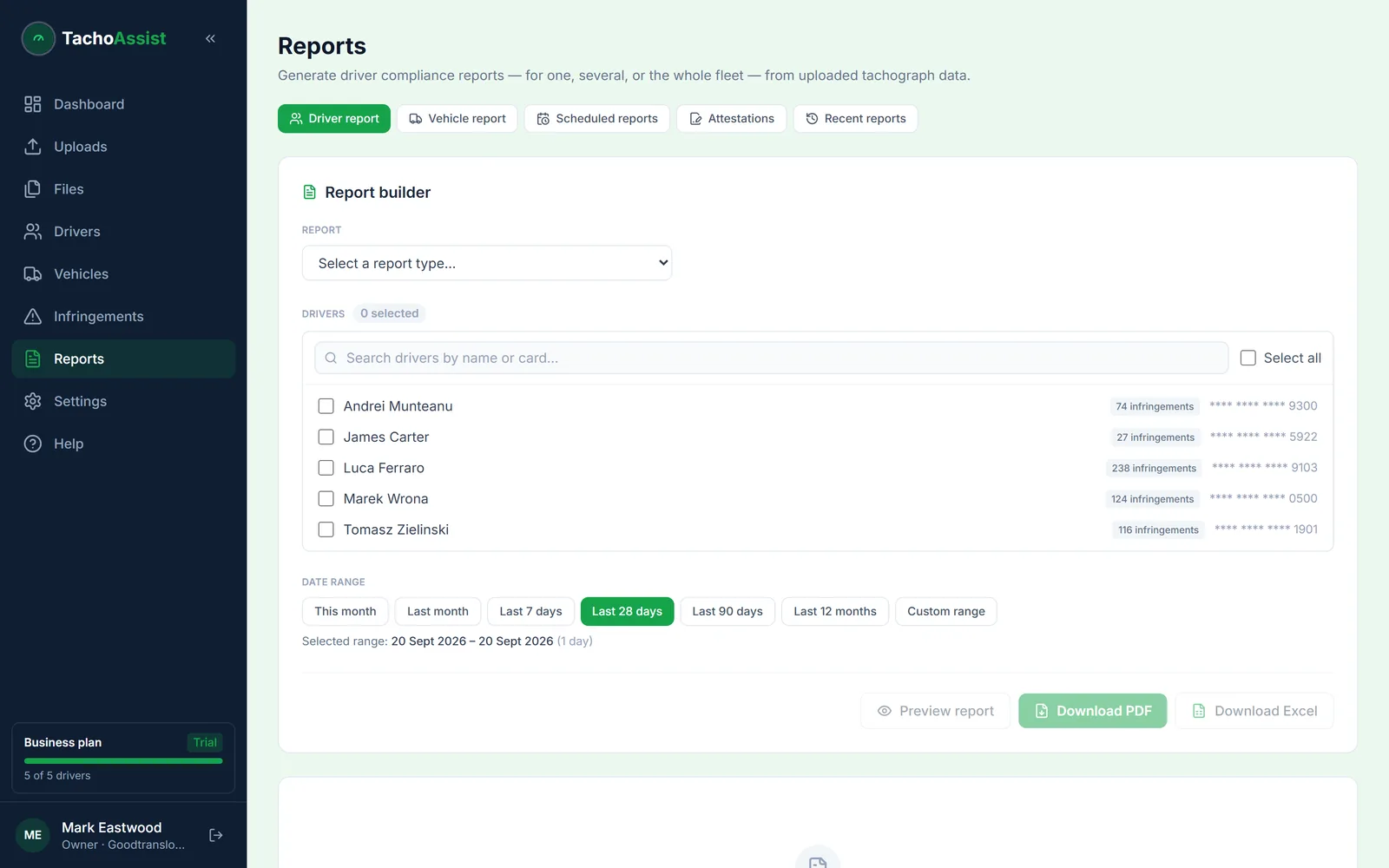
Yes. TachoAssist can use uploaded tachograph records to generate reports for selected date ranges. Business reporting supports PDF and Excel outputs.
No. The retention duty stays with the operator: tachograph records must be available for at least 12 months, and Working Time (WTD) records for two years. TachoAssist keeps uploads tied to their source file with history, retention, deletion and archiving controls, but the obligation is yours.
TachoAssist sells no hardware. The free TachoAssist Card Reader app turns any standard USB smart-card reader into a driver-card download tool on Windows or Android, free and with no account needed to read and save the file. Vehicle unit data still comes from your download key or remote download.
It is free for 14 days, with no payment card needed. After that the Driver plan is £2.49 a month. If you only need to create a .ddd file from your driver card, the TachoAssist Card Reader is free to use.