Do not default to rest
A gap may have different circumstances. TachoAssist does not silently categorise every unknown period as rest.
Business feature
Use a Business workspace to find the days a driver’s manual entries do not account for, review the gap, and create the official Attestation of Activities form — in any of the 23 languages included — once the correct reason has been chosen.
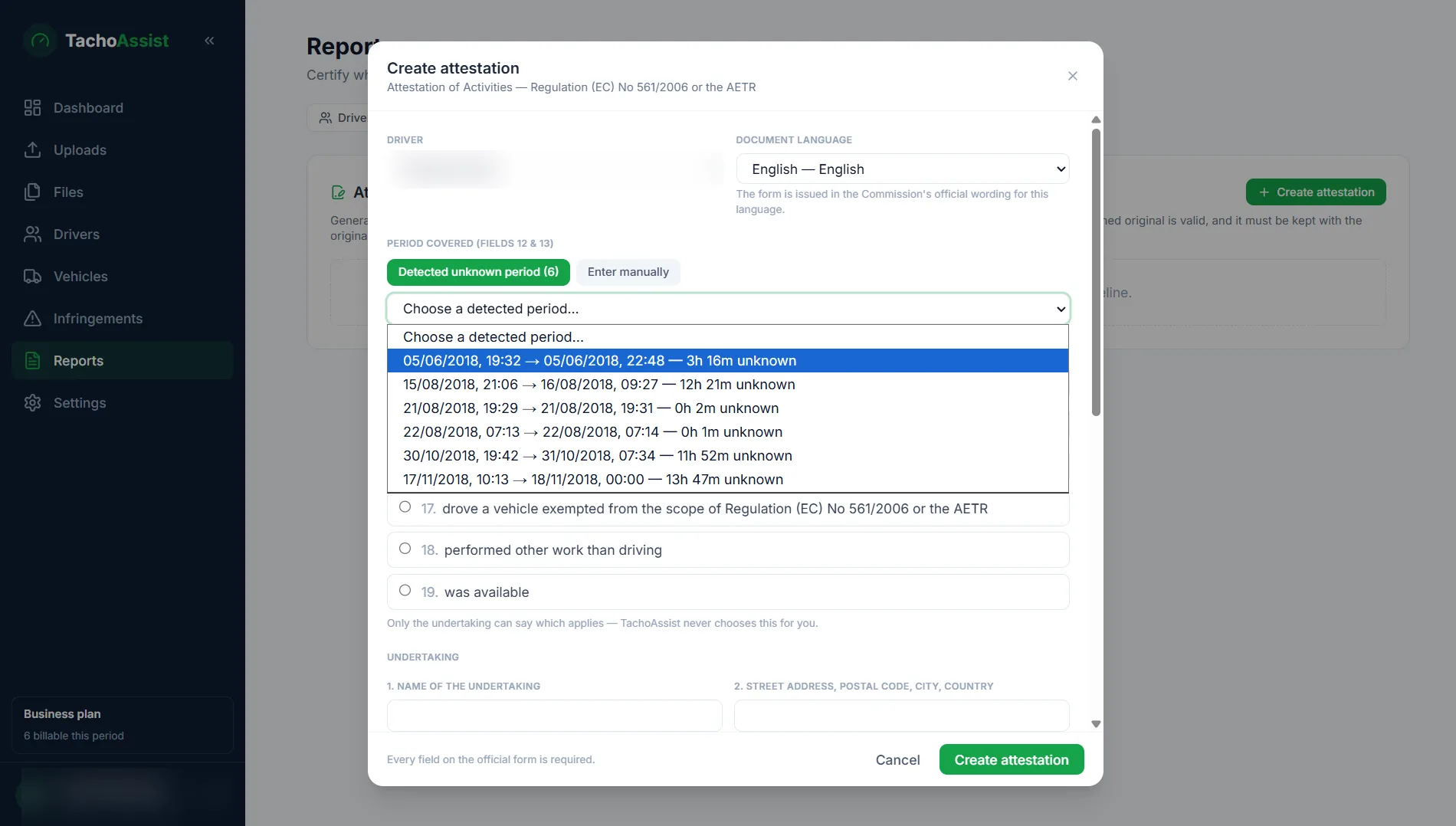
In a Business workspace, TachoAssist analyses uploaded driver card records and detects time that is not explained by recorded activity or by the driver’s manual entries. It presents the start and end of that unknown period so the operator can go through the circumstances with the driver.
An unknown period is not automatically rest, and it does not automatically mean an attestation form is legally required. The correct treatment remains a human decision.
Step 1
Detected gaps appear with their date and duration. Open the relevant period, check it against the driver’s manual entries and whatever else you know, and decide whether preparing the official form is appropriate.
Step 2
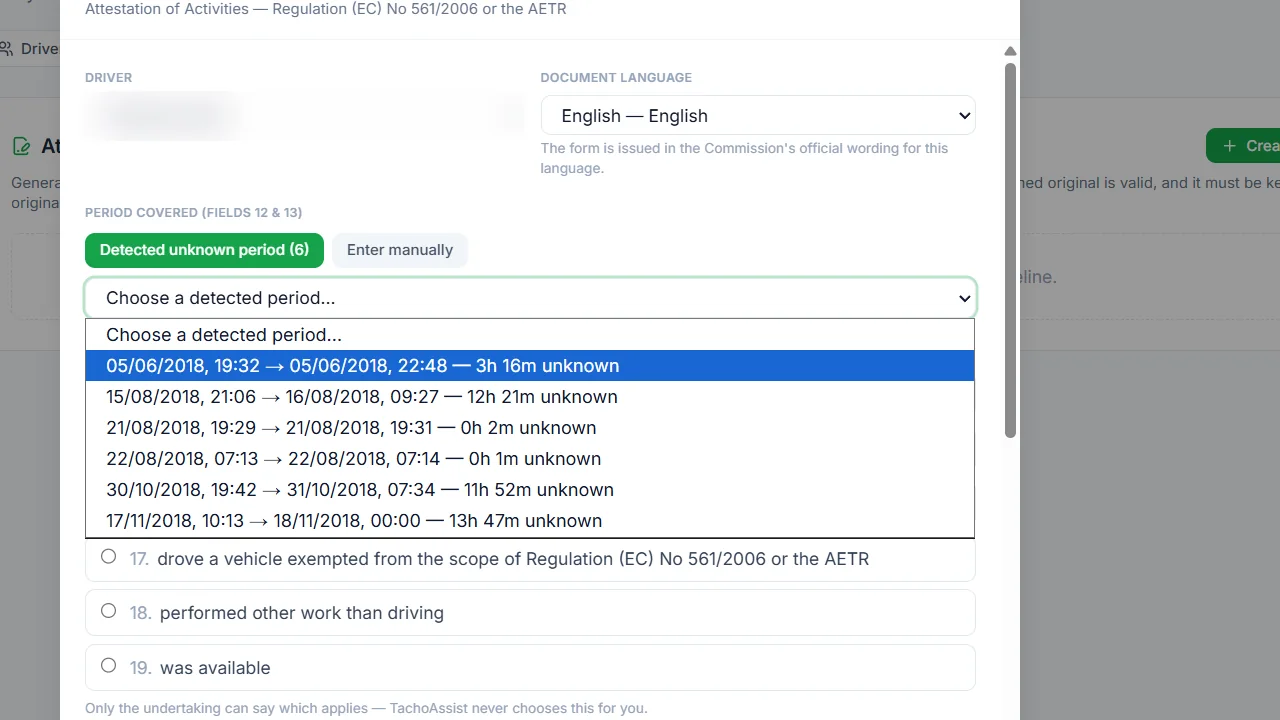
The official form provides six activity reasons. TachoAssist presents those options, but the user or undertaking must select the reason that is true and legally appropriate for the period.
A gap may have different circumstances. TachoAssist does not silently categorise every unknown period as rest.
The person completing the form must confirm the relevant dates and choose the correct reason based on the actual activity.
Not every gap requires an Attestation of Activities. Use the official rules and the circumstances to decide.
Step 3
TachoAssist uses the driver and undertaking information it already holds to save re-keying. Review and complete the fields, then pick from the 23 included official-language templates — the language of the country whose officers are most likely to read it — before generating the PDF.
Step 4
The output follows the official Attestation of Activities form. Download it, check the dates, reason and identities, then complete the required undertaking and driver signatures before the journey.
Important: generating a form does not guarantee legal compliance. The correct reason, use of the form, completion, signatures and timing remain the responsibility of the driver and undertaking.
The European Commission publishes the Attestation of Activities form and explains its use for relevant absences from driving records.
The Attestation Form Generator is not included in the Driver plan.
Questions
The EU Tachograph Attestation Form Generator is available in Business workspaces. It is not included in the Driver plan.
No. The user or undertaking must choose the legally correct reason from the six activities on the official form. TachoAssist does not assume an unknown period was rest.
TachoAssist includes 23 official-language templates for the EU Attestation of Activities form.
Not every gap in a driver’s records calls for one. Manual entries made on the card cover most short absences; the attestation exists for periods a driver cannot account for on the card at all. Use the official rules and the circumstances to decide, and treat the detected gap as the prompt to look, not the answer.
Check every field and complete the required undertaking and driver signatures before the journey. The generated PDF is not automatically signed.
Business feature
Start a 14-day Business trial — no payment card details needed to start, and no minimum term. The Attestation Form Generator is not available in Driver accounts.