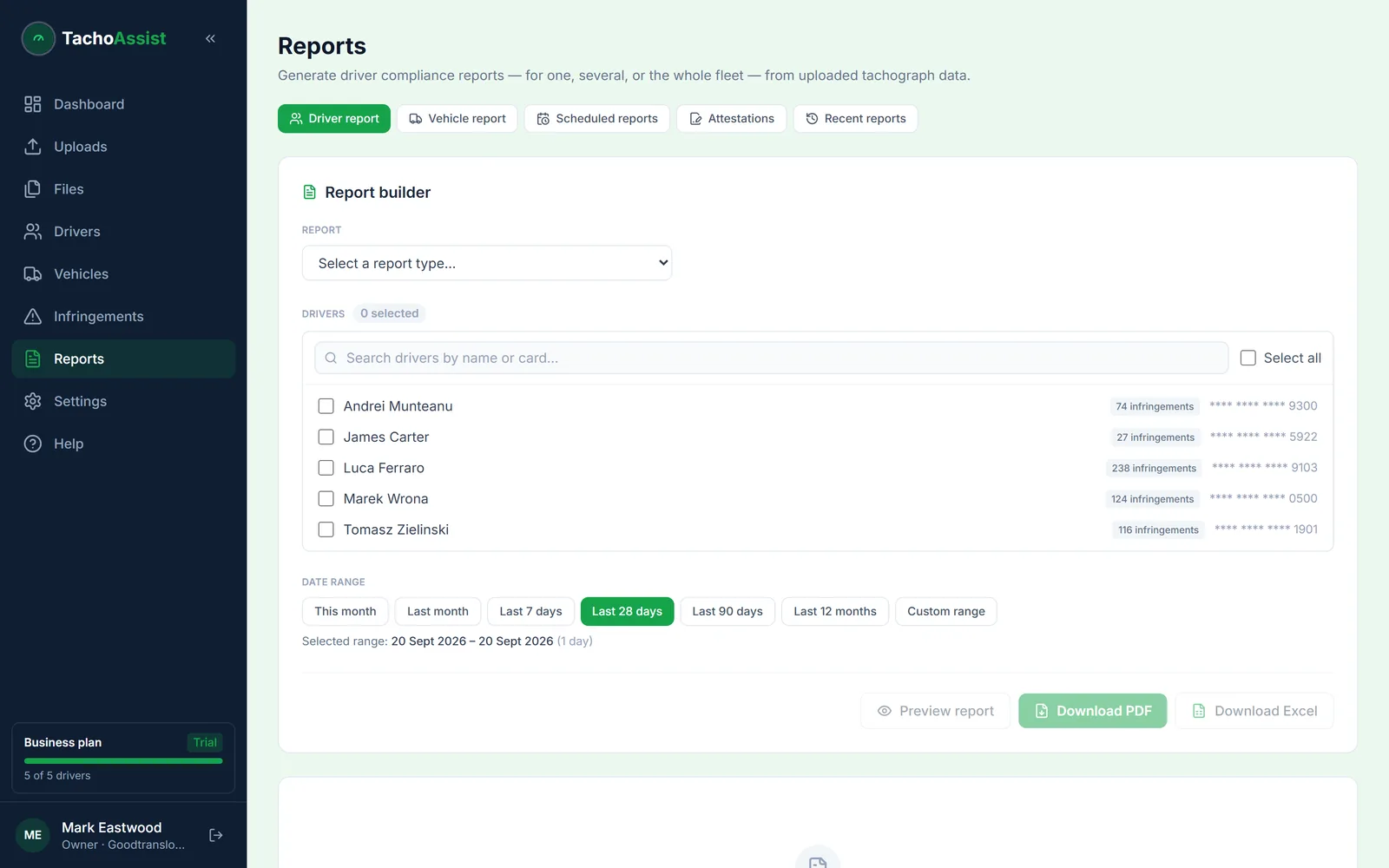
Driver compliance
The overall picture for a driver or a group over the period — activity totals alongside what the rules made of them.
A useful tachograph report is not a generic export. It should name the right people or vehicle, cover the correct date range and carry the infringements being reviewed with the rule behind each one. TachoAssist keeps that report workflow in the same browser-based workspace as the original driver card and vehicle unit files, so the document and the evidence never drift apart.
Report history provides a repeatable record, so Business users can return to a previous output or regenerate it when required — which is usually months after the period it covers, when someone else has asked for it.
Two families, one date-range picker. Driver reports run for one driver, a selection or the whole fleet; vehicle reports run per vehicle.
The overall picture for a driver or a group over the period — activity totals alongside what the rules made of them.
The one that gets used most: every infringement with its severity, measured values, explanation and legal reference. This is the basis for the debrief and the record that it happened.
Where the analysed record has gaps — the report that shows you looked for them rather than only reporting what was there.
The WTD picture separately from drivers’ hours, because they are separate obligations with separate retention periods.
Mobility Package evidence for international work, including the optional advisory return-home check.
Vehicle summary, activity timeline, issues and faults, download history and technical inspection — built from vehicle unit (VU) records.
The preview on screen is the document you download — the same pages, the same layout — so what you check is what goes in the file.
Compliance note: a report supports the review process. Automated infringements within it must be checked and are not legal advice.
The evidence file
There is no prescribed list. In practice, an inspection often focuses on four questions about your process.
Download history per vehicle and per driver, against the 28-day card and 90-day vehicle unit intervals. A gap here undermines everything that follows it.
An infringement report covering the period, with severity and the rule cited — and a missing-data report showing the gaps were identified rather than passed over.
Evidence that the driver was debriefed and the pattern addressed. TachoAssist produces the report that starts the conversation; the record of the conversation is yours to keep.
Tachograph records for at least 12 months and Working Time (WTD) records for two years, retrievable rather than theoretically retained.
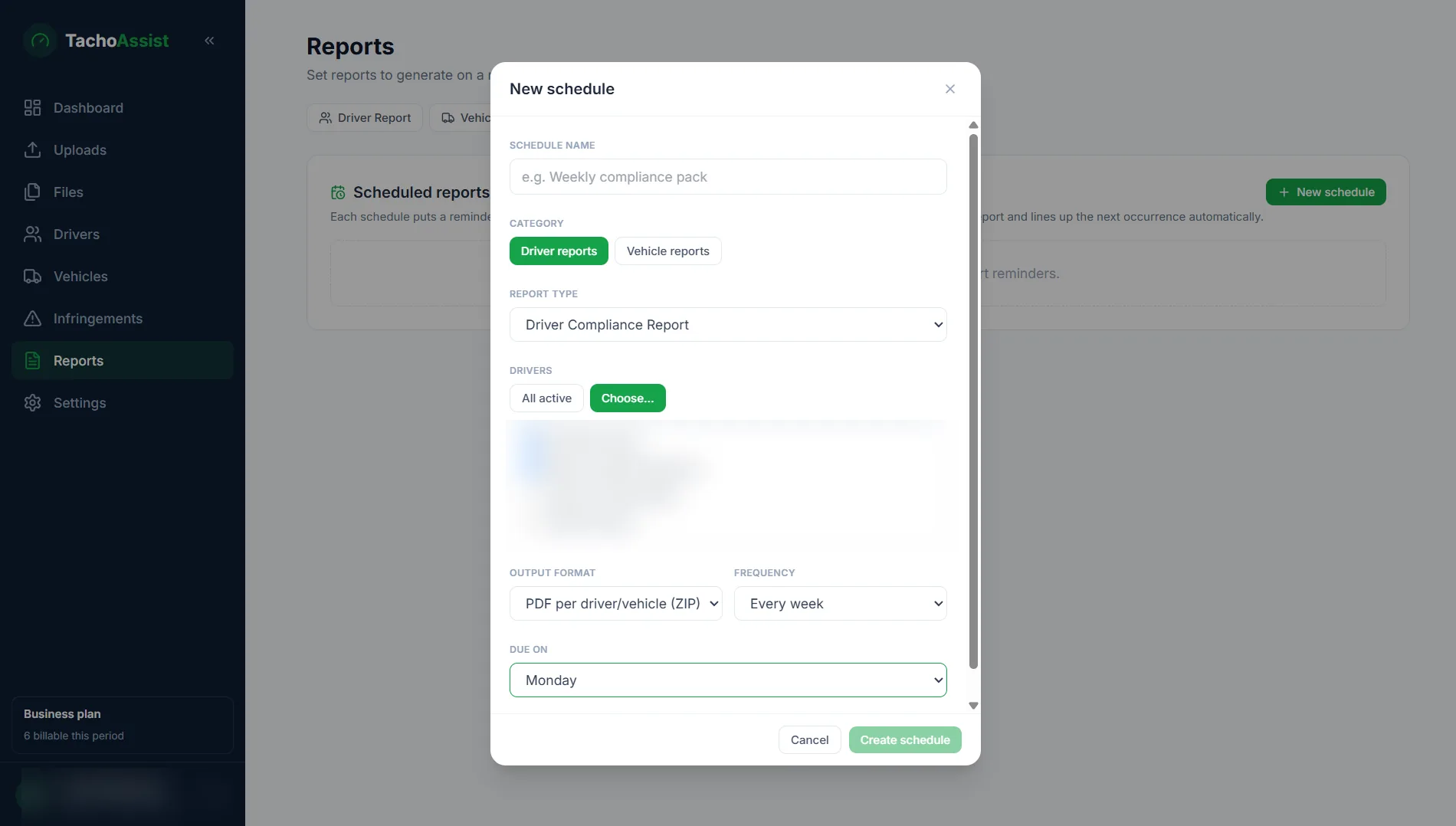
Scheduled Reports
Create a reusable schedule for driver or vehicle reports, choose the people or vehicles, format and frequency, then use the dashboard reminder when the next report is due.
Clear expectation: Scheduled Reports create recurring dashboard reminders and reusable settings. They do not send reports automatically by email.
Questions
On the driver side: compliance, infringement, missing-data, Working Time (WTD), border-crossing and return-home reports, for one driver, selected drivers or the whole fleet. On the vehicle side: vehicle summary, activity, issues and faults, download history and technical inspection reports. All over a date range you choose.
Yes. Business reporting supports PDF and Excel output, while the Driver plan includes driver compliance reports for driver card files. The on-screen preview is the same document as the file you download.
There is no prescribed list, but the practical expectation is that an operator can show what was downloaded and when, what the analysis found, what was done about it and that the records have been retained. In TachoAssist terms that usually means an infringement report per driver for the period, a missing-data report showing gaps were identified, and download history for the vehicles — kept for at least 12 months, and two years for Working Time records.
Business users can use report history to retain a record of generated reports and download or regenerate the required output again, which matters when a request arrives months after the period it covers.