Ireland · RSA and CVRT
Daily walk around checks for Irish fleets.
Drivers complete the walk around check on their phone before the vehicle goes on a public road, using the TachoAssist Companion app. No defects? Send a nil report in a few taps. Found a defect? Add photos and mark the vehicle as Safe to drive or Do not drive. The office sees every check, acknowledges it, records the repair and keeps the record for two years.
Included in the Business plan. No payment card to start. No minimum term.
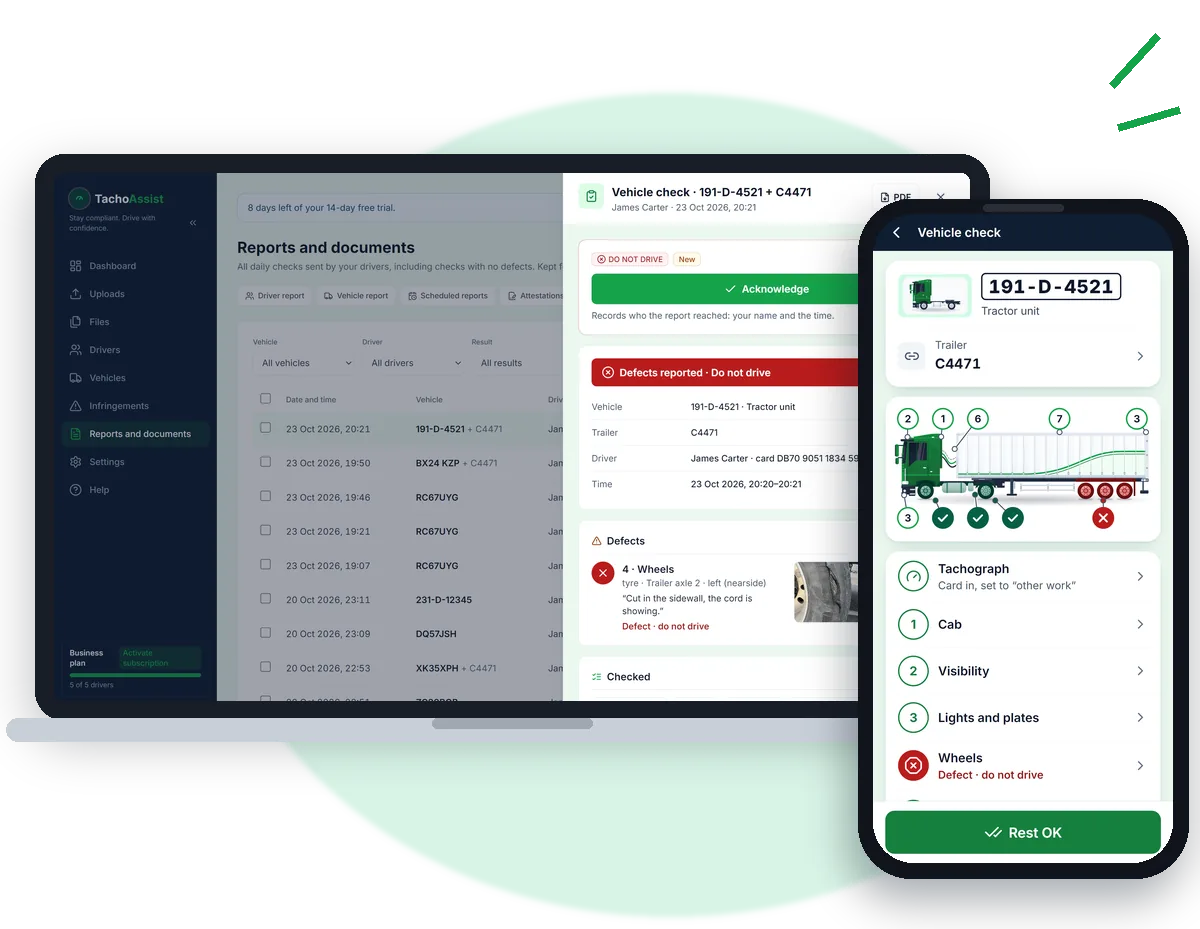
A book or an electronic solution.
CVRT guidance says a walk around inspection must be carried out before the vehicle is used on a public road. RSA best practice recommends each driver has a book or electronic solution, while S.I. 348/2013 allows defects to be reported to the owner electronically or in writing.
TachoAssist is the electronic option in the same workspace as your tachograph analysis. Every check is recorded in Irish time with the driver’s name, card number and declaration.
How the walk around check works.
For trucks, tractor units and trailers, buses and coaches, and vans.
- Pick the vehicle.The driver adds each vehicle once. Vehicles found on the tachograph card are suggested under “From your card”.
- Walk round the vehicle.The check follows a numbered vehicle diagram, with Tachograph and Equipment sections underneath. In an Irish workspace, the defect lists also include oil and water levels, air suspension, and discs and documents.
- No defects? Send a nil report.Tap “All OK”, then “Confirm and send”. A nil report shows the check was completed even when no defects were found.
- Found a defect? Add the details.Choose what is wrong, add a note and up to three photos, then answer: Safe to drive or Do not drive. The date and time are recorded with the check.
- The office takes it from there.The check appears under Reports and documents → Vehicle checks. If the driver selects Do not drive, the account owner and all admins are emailed straight away.
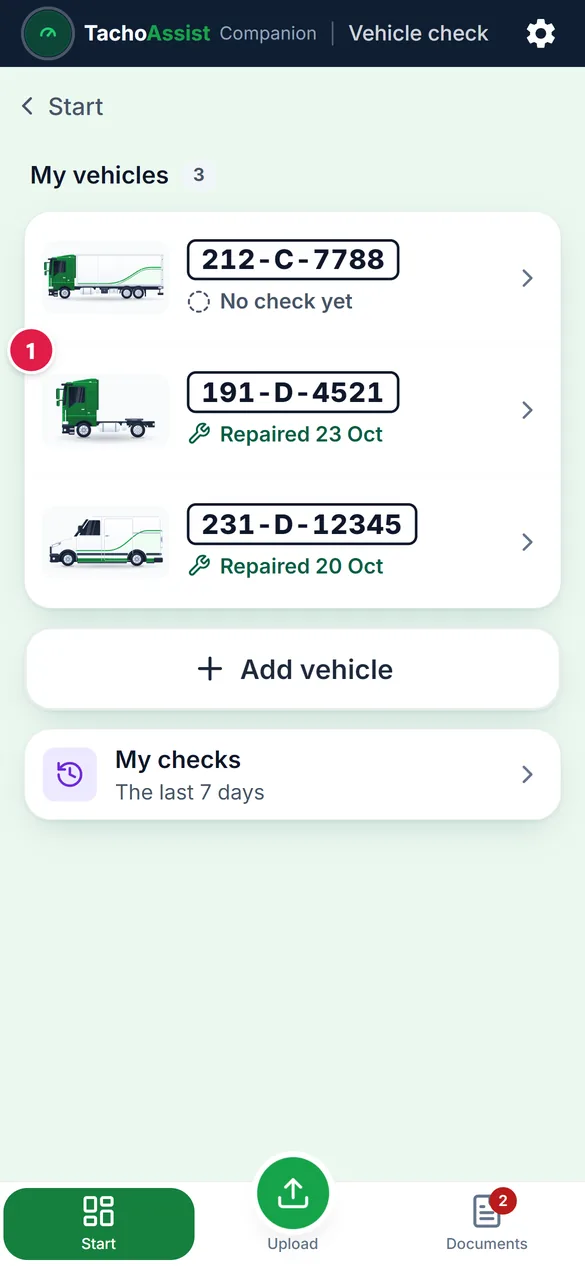
My vehicles: each registration with its latest check. 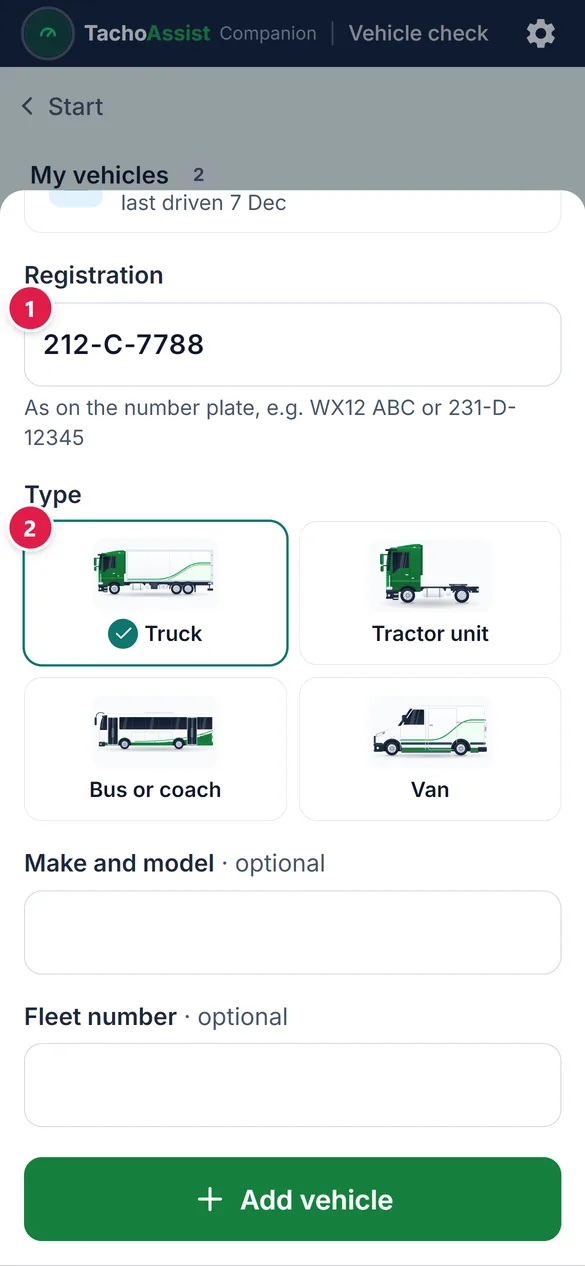
Add a vehicle: registration and vehicle type. 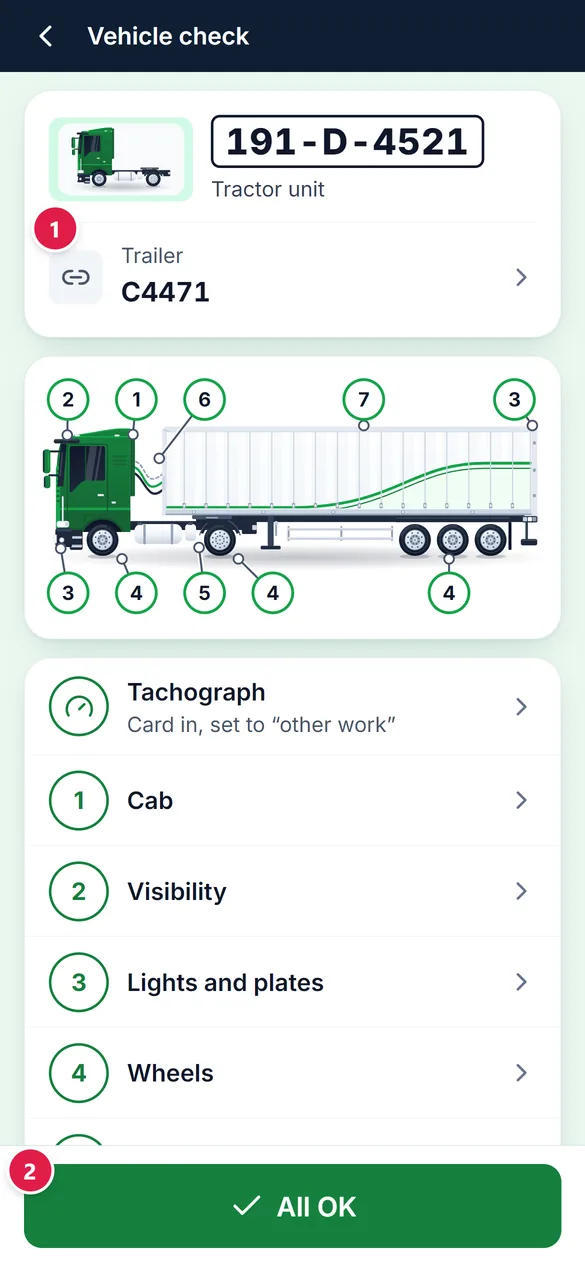
The check follows a numbered vehicle diagram. 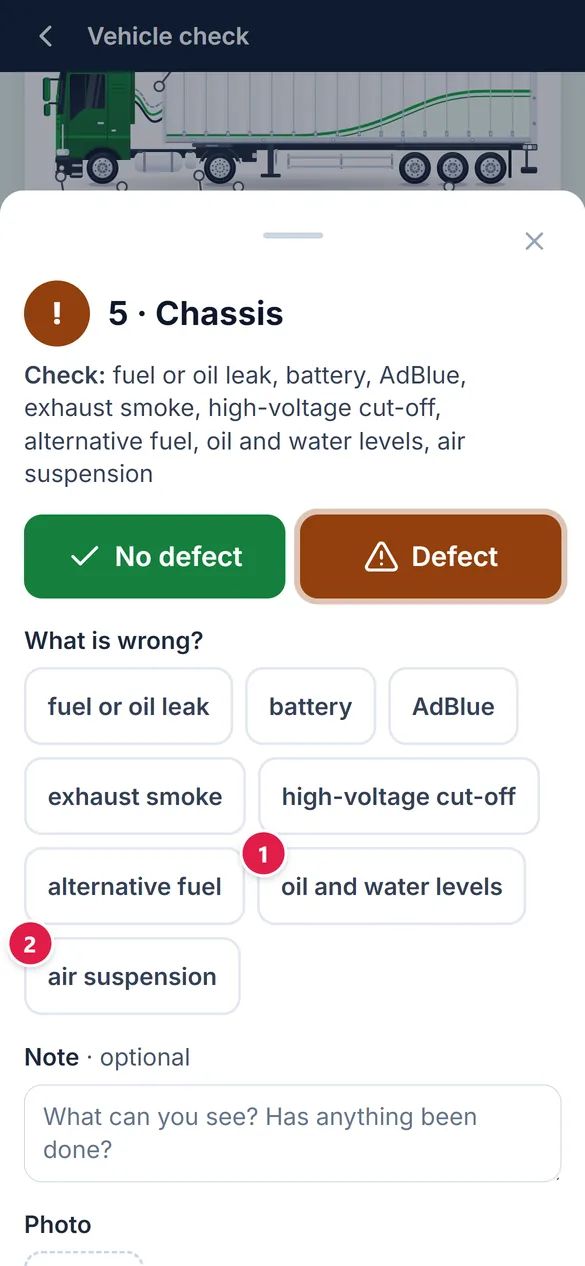
The Irish defect lists add items such as oil and water levels and air suspension. 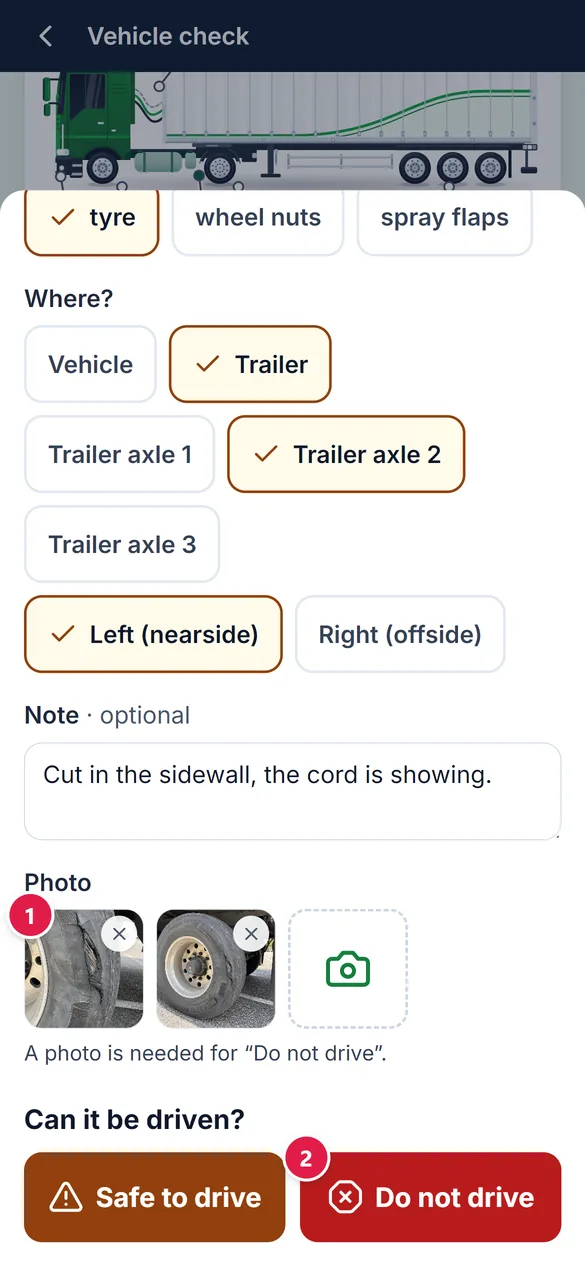
Add photos, then choose Safe to drive or Do not drive. 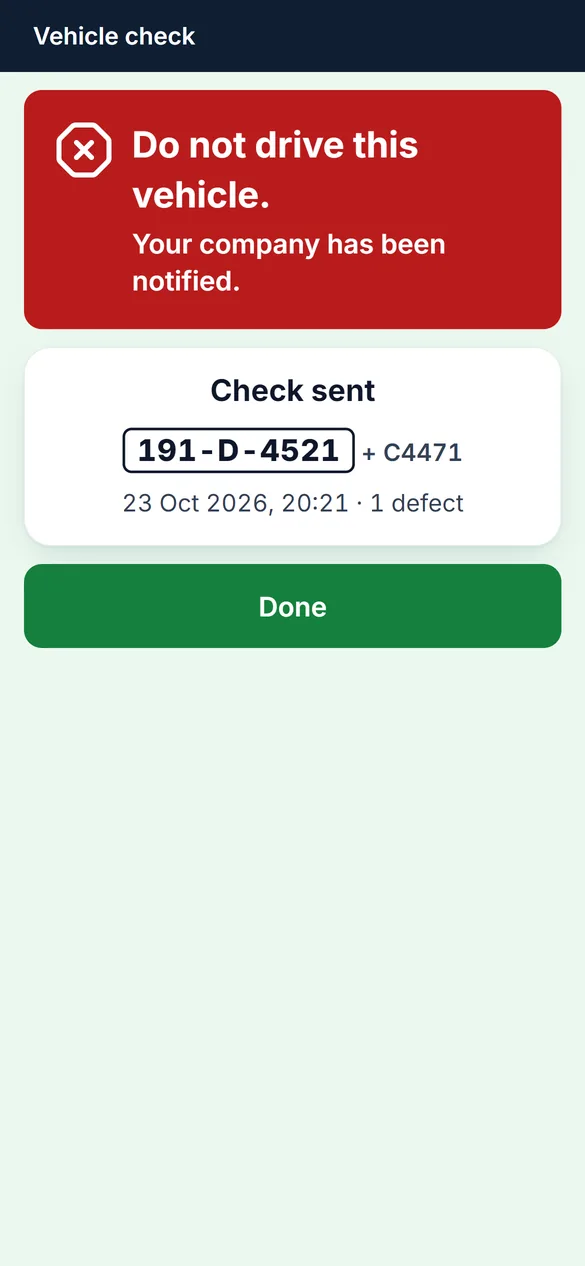
Sent. A Do not drive check reaches the office straight away.
In the office.
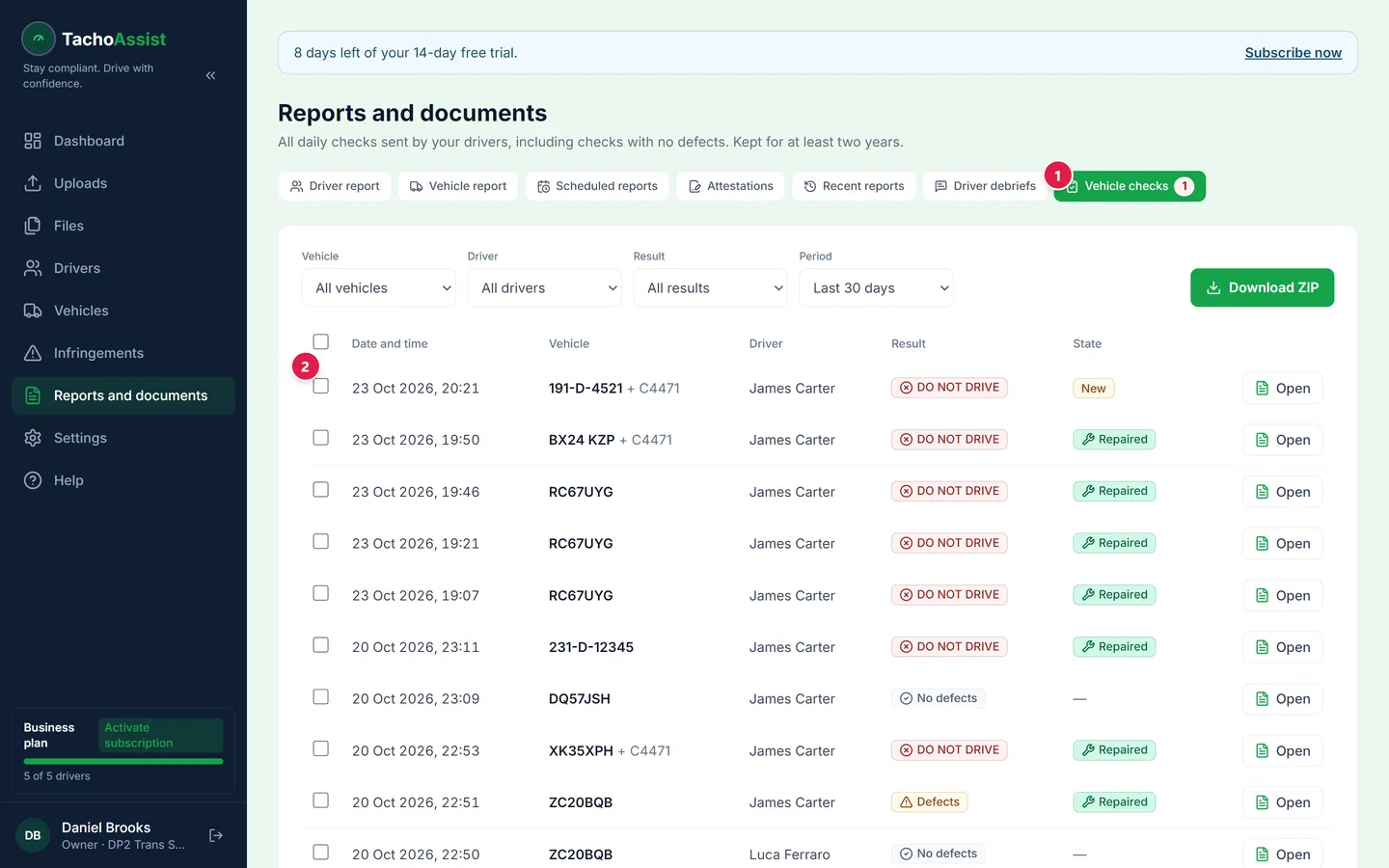
Reports and documents → Vehicle checks, with a count of new defect reports. 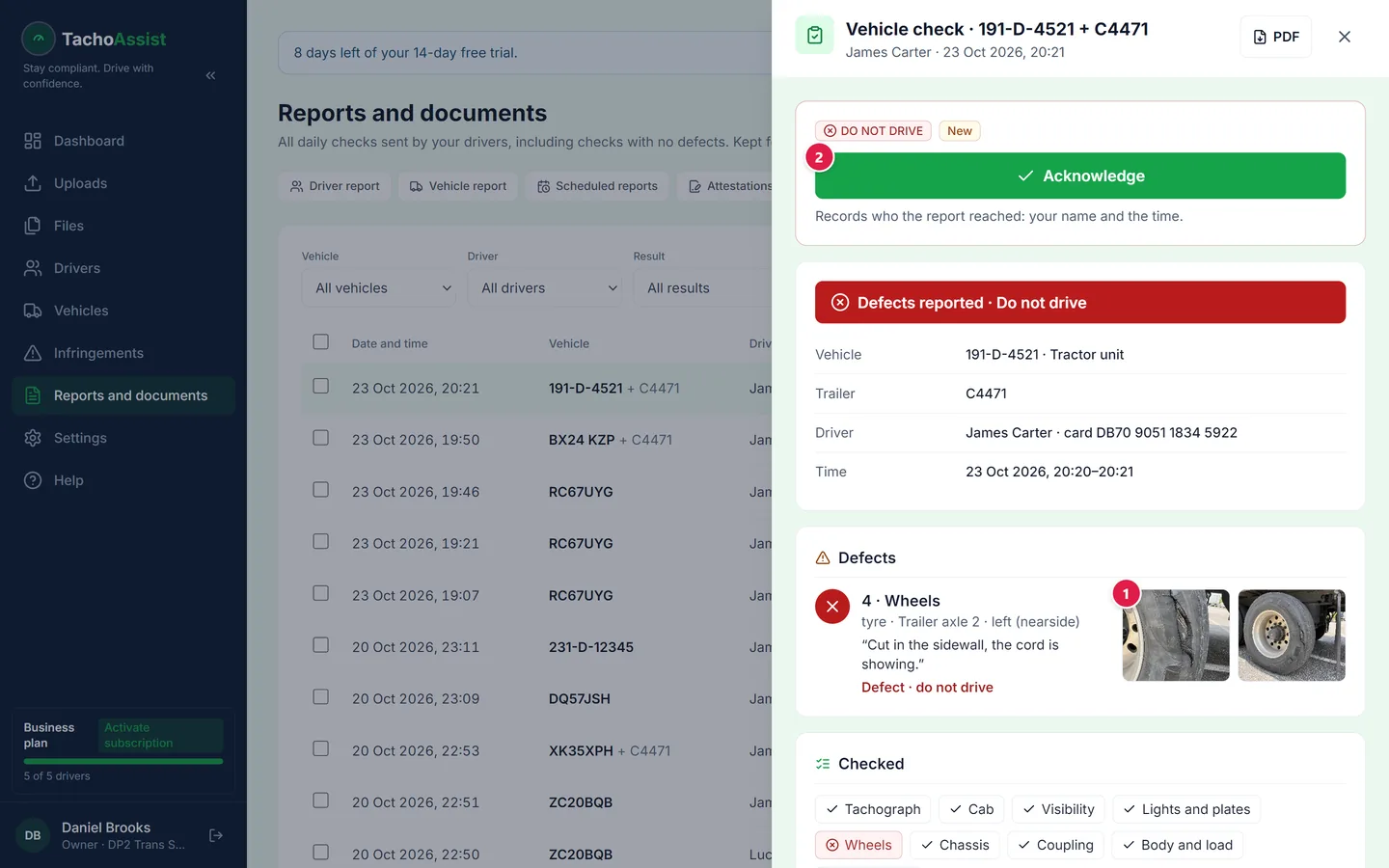
A defect report opened: photos, checked zones and acknowledgement. 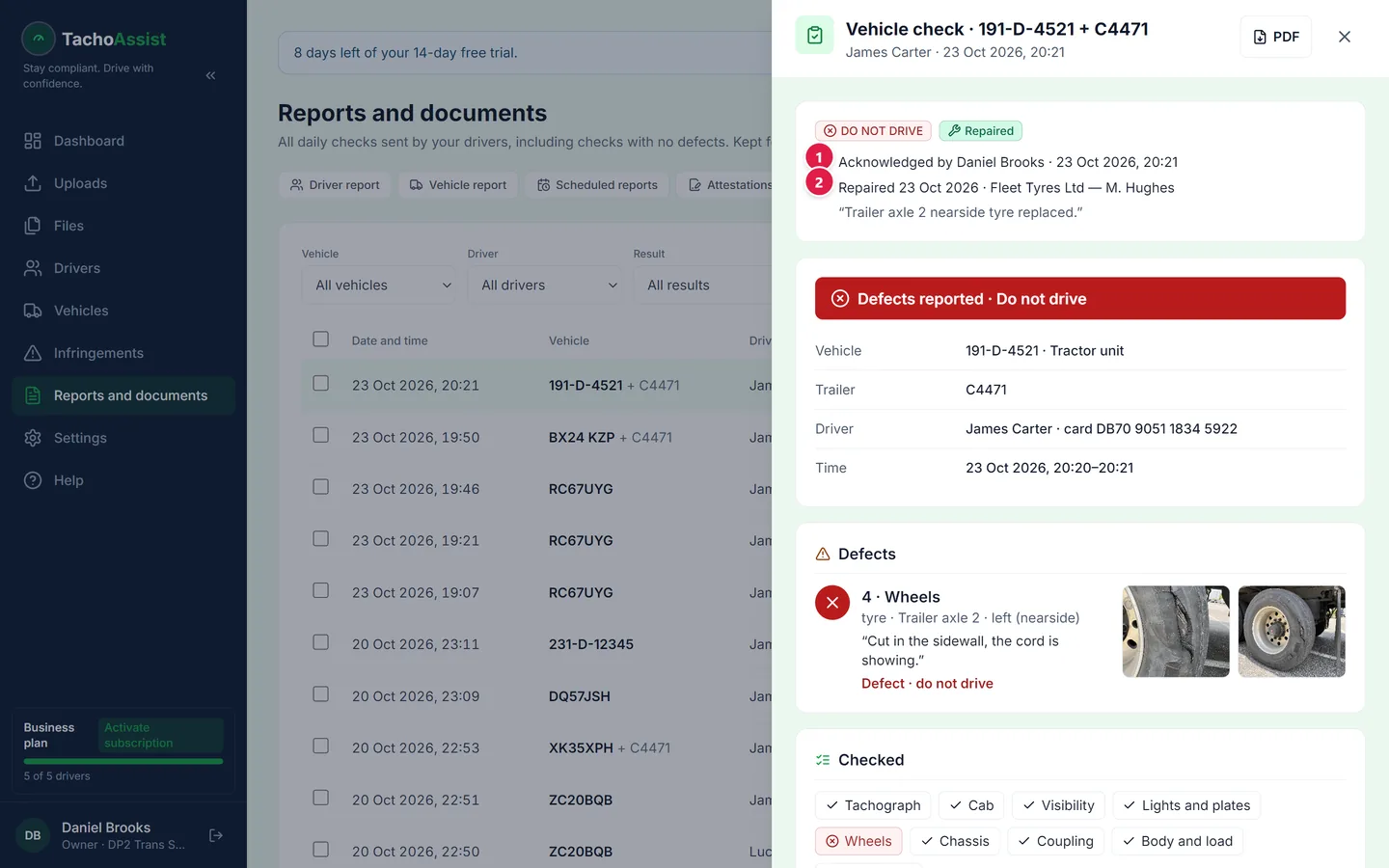
After the repair: who acknowledged it and who carried out the work.
What the RSA and CVRT ask for.
The rules are set out in S.I. 348/2013, the Road Safety Authority (Commercial Vehicle Roadworthiness) (Vehicle Maintenance and Repair) Regulations 2013.
- Before the vehicle is driven in a public place: The driver must inspect the interior and walk around the outside. For the same vehicle or combination, this is required no more than once in any 24-hour period.
- A defect is reported to the owner: The report includes a description, when the defect was found and any temporary action taken.
- A dangerous defect means the vehicle is not driven: It must first be inspected by a suitably qualified person and repaired if needed.
- The owner keeps inspection, maintenance and repair records: Records, including defects found, must be kept for at least two years.
Each check sent from the Companion app records the vehicle and trailer, date and time, defects in the driver’s own words, photos and the driver’s assessment. When the office acknowledges the check, the name and time are recorded. When the repair is complete, the repair date, who carried it out and what was done are also saved.
The Vehicle checks list shows: “Kept for at least two years.” Nil reports are kept for the same period.
What the report looks like.
Every check is saved as a PDF. Times are shown in Irish time, and the footer references the Irish regulations and two-year retention period. These examples use a demo company, demo driver and made-up registrations.
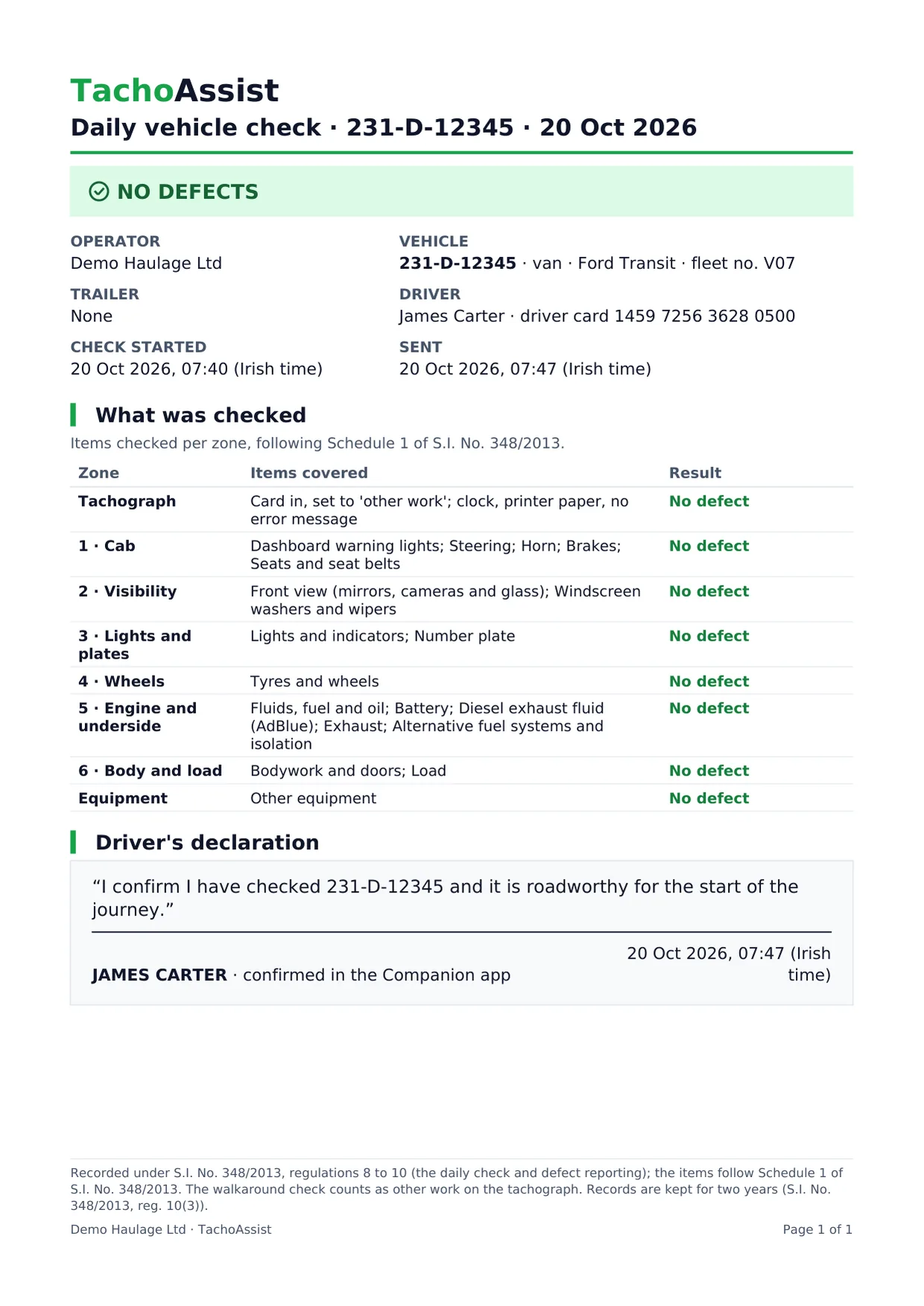
Sample nil report (PDF) (PDF, 45 KB)
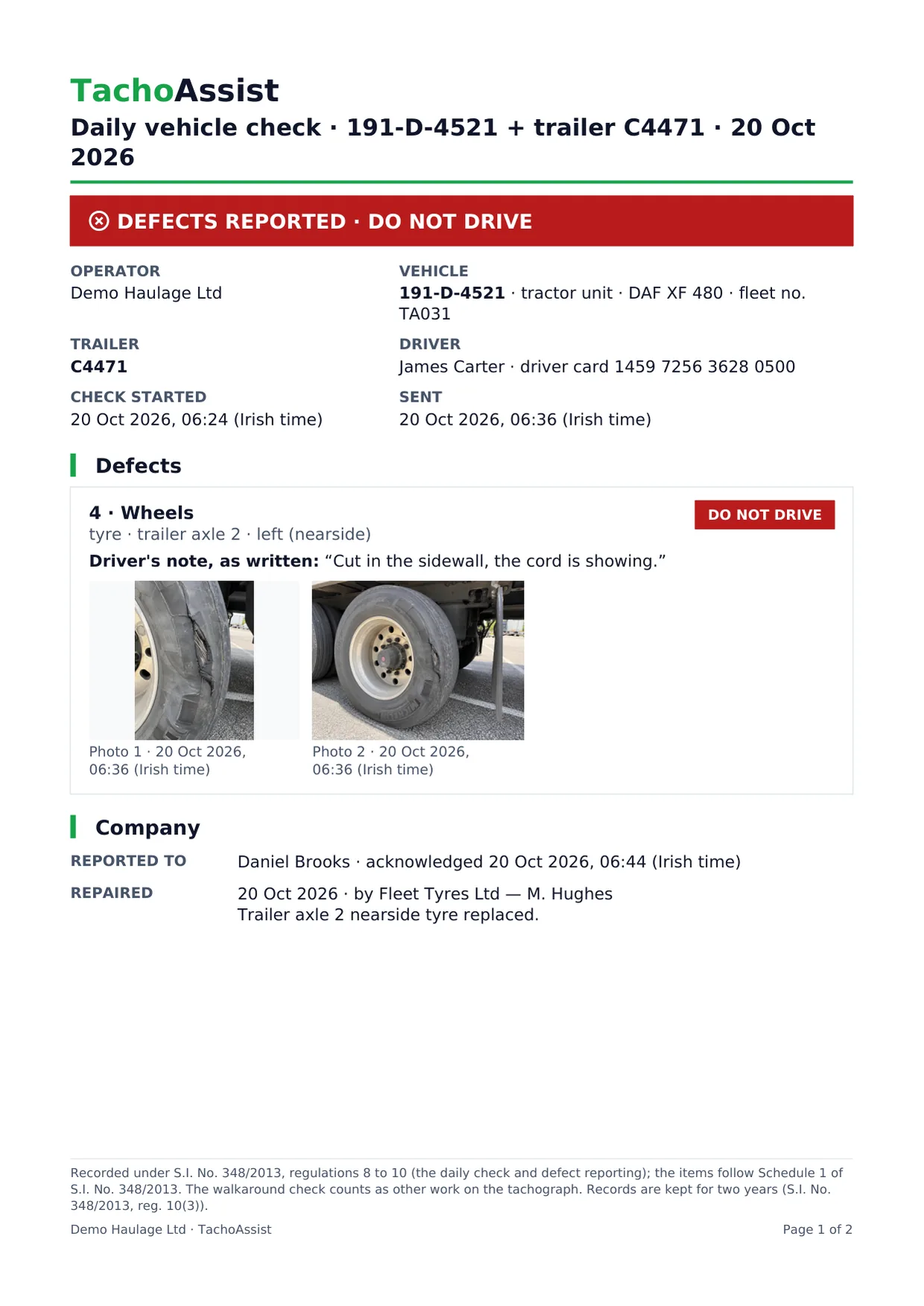
Sample defect report, acknowledged and repaired (PDF) (PDF, 1.1 MB)
Tachograph analysis and walk around checks
Tacho and checks in one workspace.
Walk around checks sit beside driver card and vehicle unit analysis, infringements and driver debriefs for the same drivers. The driver uses the same Companion app for the daily check and for reading and signing debriefs.
See how tachograph analysis and vehicle checks work together
Pricing
Included in the Business plan.
Vehicle checks are included in the Business plan at no extra cost: €2.99 for each driver whose data you analyse that month. No minimum term, and a 14-day trial with no payment card.
Turn vehicle checks on under Settings → Companion app → Vehicle checks, then invite each driver once with “Invite to the Companion app”.
A vehicle check records the driver’s own assessment. TachoAssist does not decide whether a vehicle is roadworthy and is not approved by the RSA or CVRT. The owner remains responsible for inspections, defect records and repairs.
Official sources
The rules behind the check.
Questions
Walk around checks in Ireland: FAQ
What does Irish law require for a daily walkaround check?
Under S.I. 348/2013, before driving the vehicle or combination in a public place, the driver must inspect the inside and walk around the outside. For the same vehicle or combination, the check is required no more than once in any 24-hour period. Any defect must be reported to the owner electronically or in writing, with a description, when it was found and any temporary action taken.
How long are check and defect records kept?
The owner must keep inspection, maintenance and repair records, including defects found, for at least two years. TachoAssist keeps every check from an Irish workspace, including nil reports, for at least two years.
Is there a free app for HGV walk around checks?
Free paper check sheets are available, and RSA best practice recommends a book or electronic solution for each driver. TachoAssist vehicle checks are included in the Business plan, which you can try free for 14 days without a payment card.
Is TachoAssist approved by the RSA?
No. TachoAssist is not approved or endorsed by the RSA or CVRT. The check is built around the items in Schedule 1 of S.I. 348/2013 and records the information required in a defect report.
Do drivers need to install anything?
No. The Companion app opens in the driver’s phone browser from the invitation link. A signal is needed to send the check. If the connection drops, the answers stay on screen until the driver tries again.