Driver debrief
Driver debriefs. No paperwork, no chasing signatures.
When the analysis finds infringements for a driver, you can prepare a complete debrief document in four clicks. TachoAssist automatically adds the appropriate instruction for each type of infringement. The driver receives the document straight away in TachoAssist Companion, where they can read it, explain what happened and sign it with a finger on the screen. No printing and no chasing signatures.
Included in the Business plan · 15 document languages · no extra cost
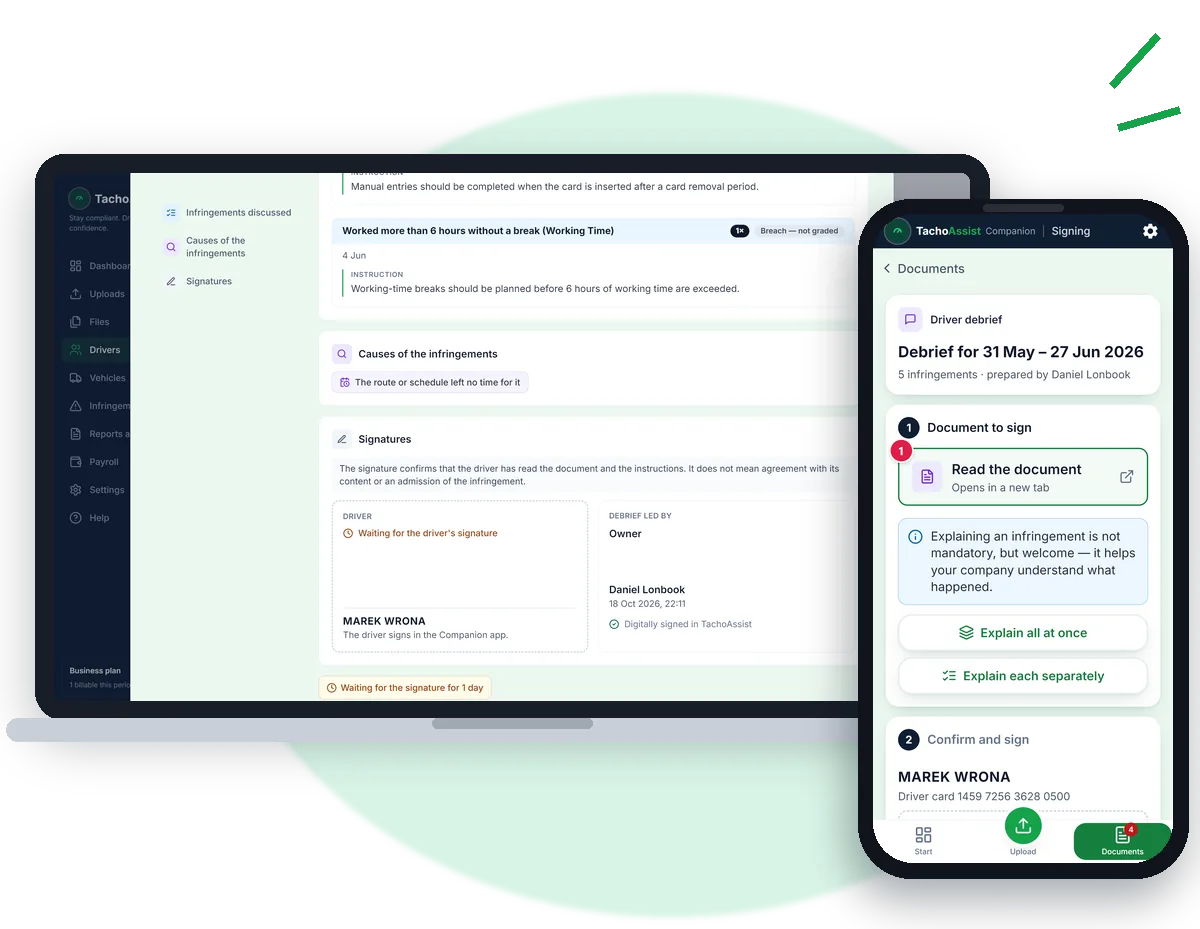
Automatic instructions
Based on detected infringements.
TachoAssist Companion
A web app for drivers — no installation required.
Sign and explain
No printing, meetings or chasing signatures.
Available anytime
Documents stored in TachoAssist.
What the driver signs
One document for the period you choose. Infringements are grouped by rule, with an instruction under each one explaining what the driver should do differently to avoid the same infringement. If the driver adds an explanation, it appears below the relevant instruction as "Driver's explanation". The document also records the causes, the company's actions and two signatures — the person conducting the debrief (signed when the document is sent) and the driver (signed in Companion). The debrief does not change the analysis findings, the number of infringements, any fine or the risk score.
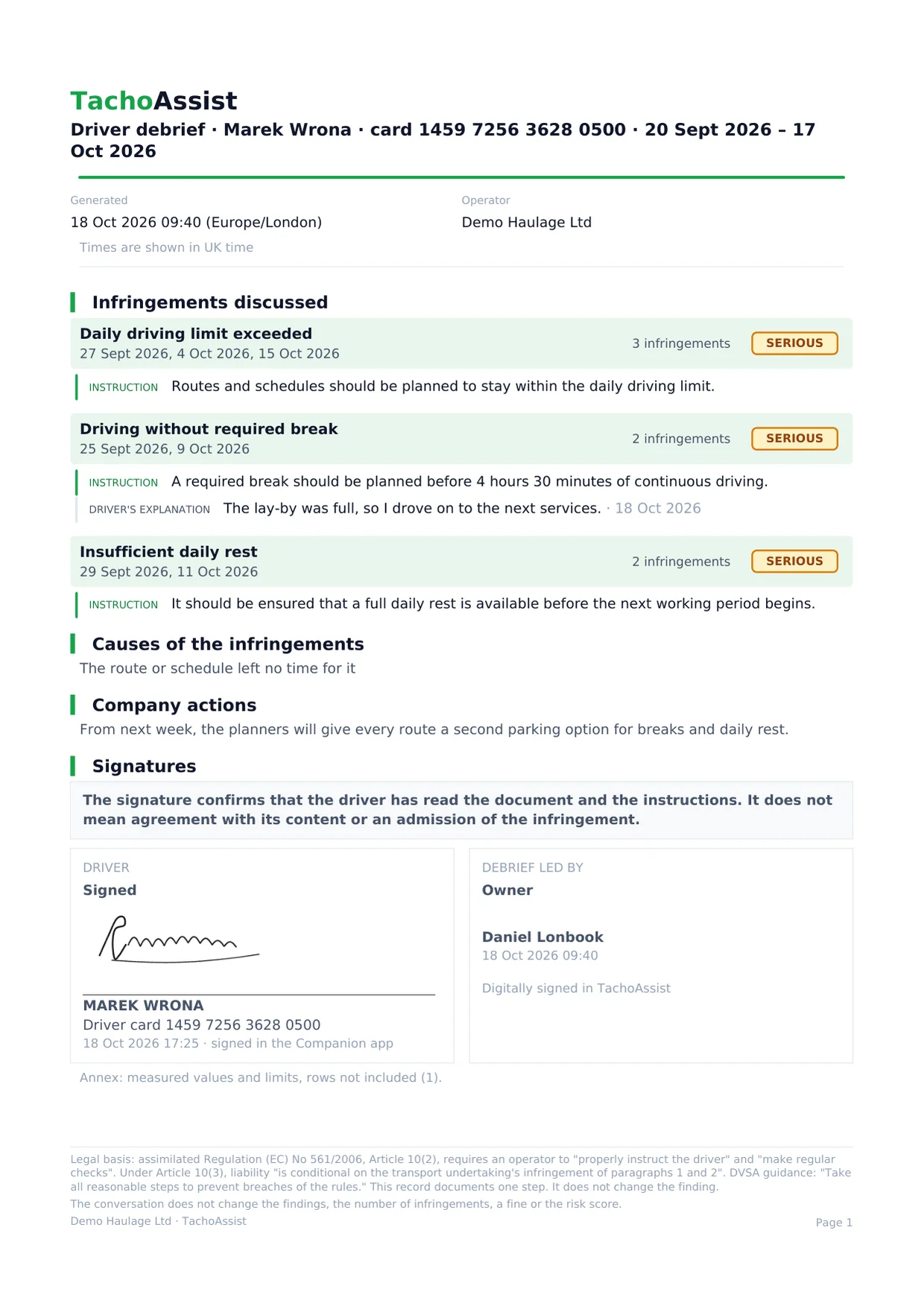
From infringements to a signed debrief
Once per driver: send an invitation.
On the driver's page, select Invite to the Companion app → enter their name and email → send.
Driver debrief.
One button in the driver's page header.
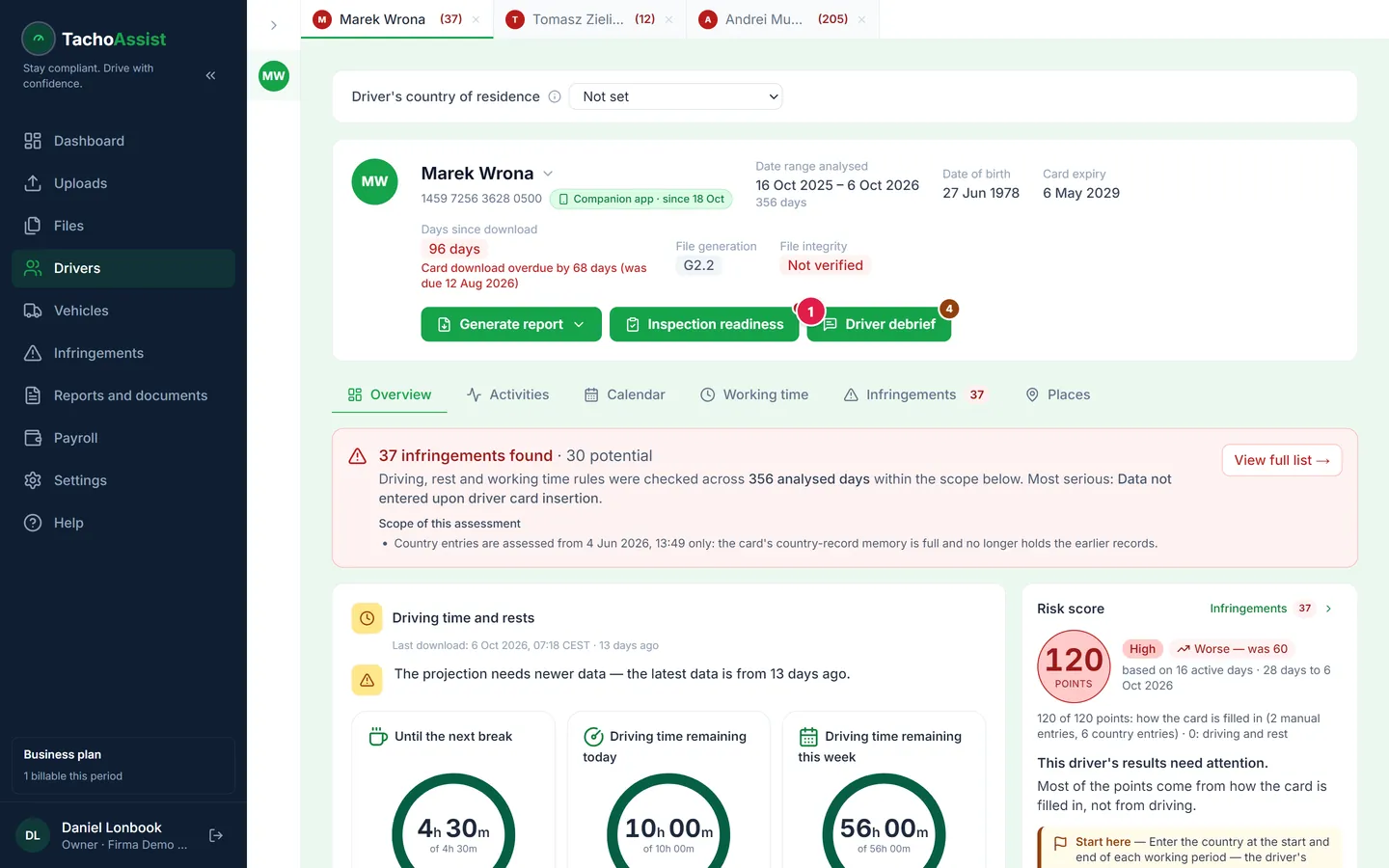
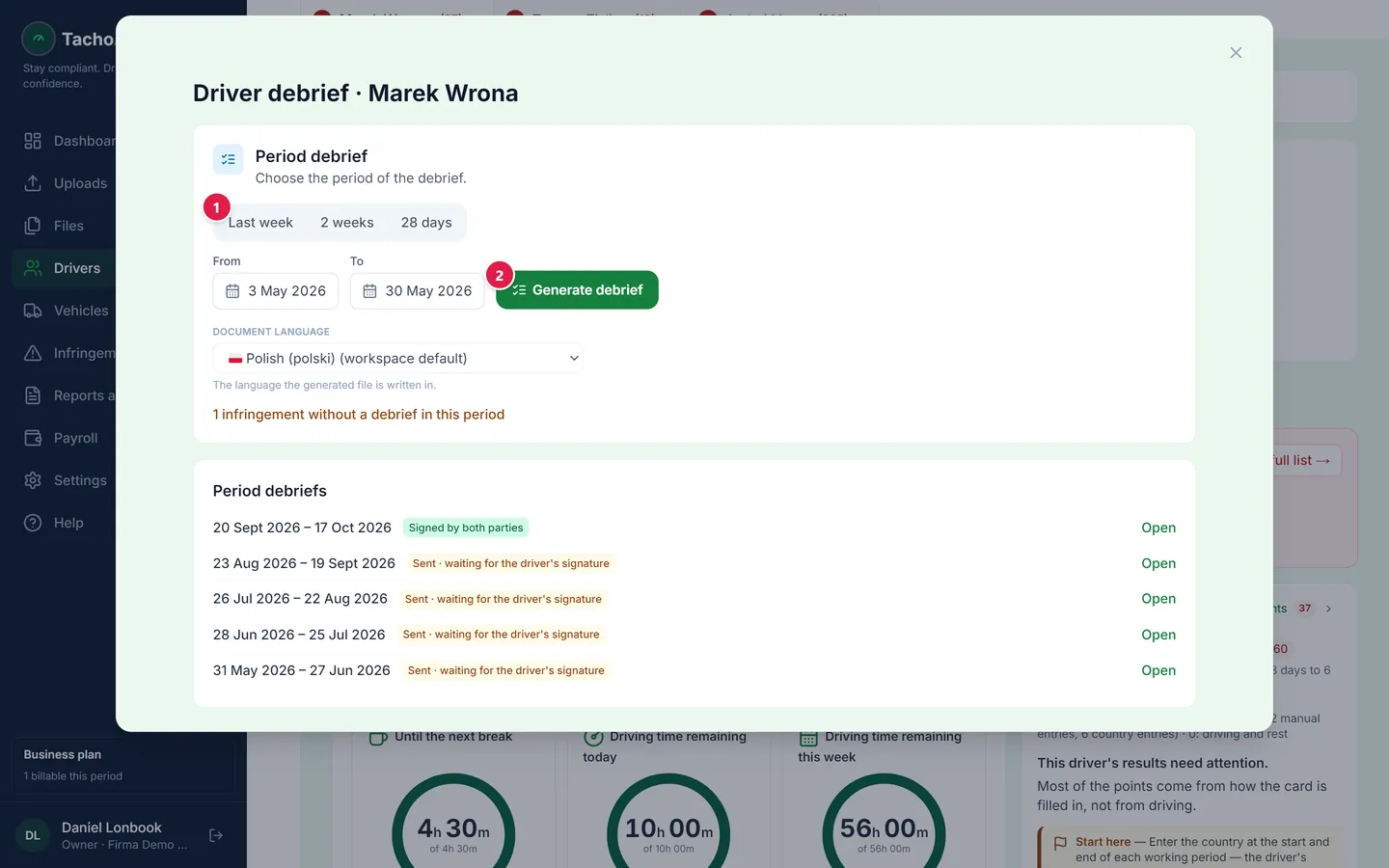
Generate debrief.
The last 28 days are selected by default. You can see how many infringements will be included.
Select the cause.
Choose the cause before sending the document. The instructions are already prepared, with one clear instruction for each rule.
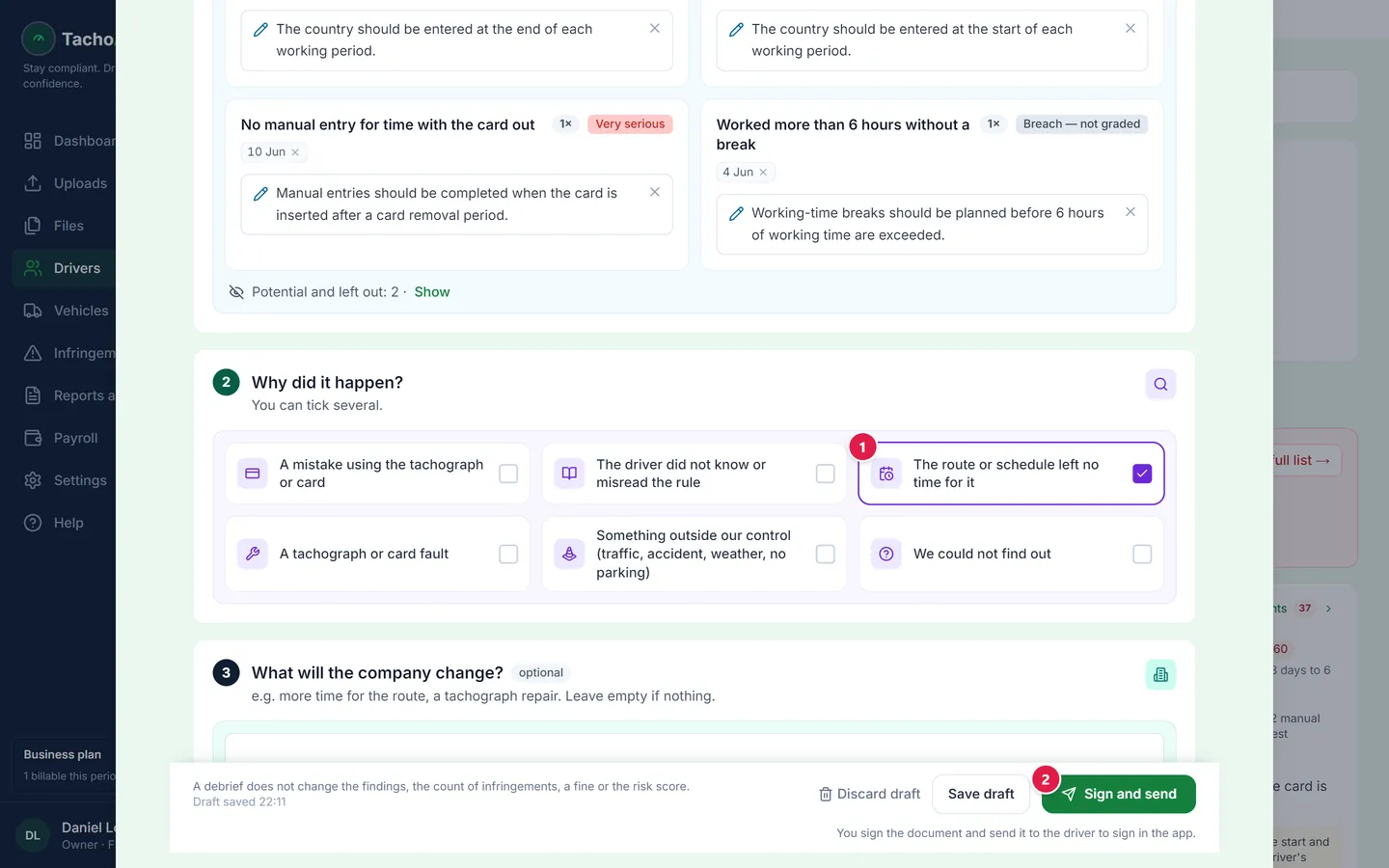
Sign and send.
Sending the document also signs it. It appears in the driver's Companion app immediately.
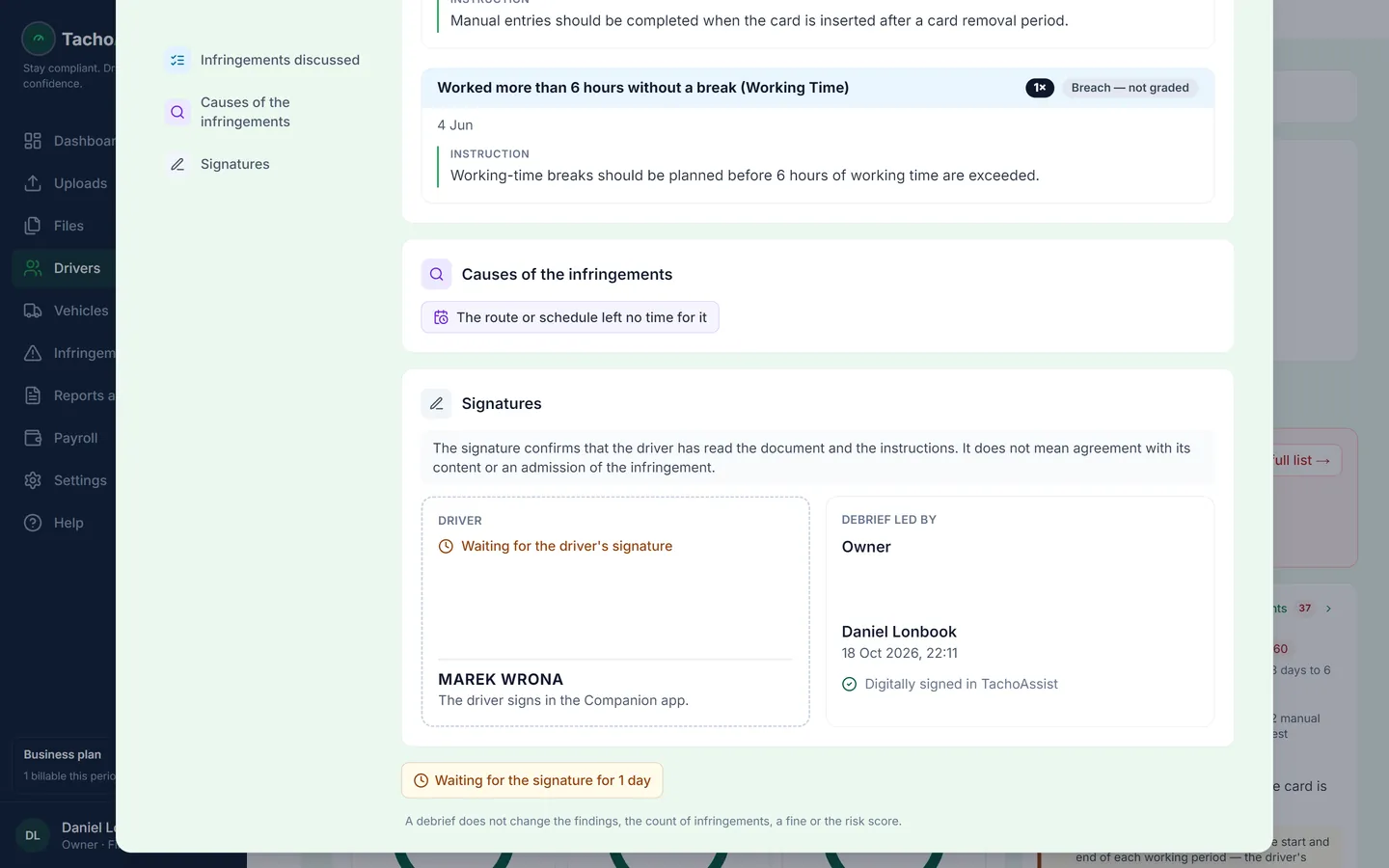
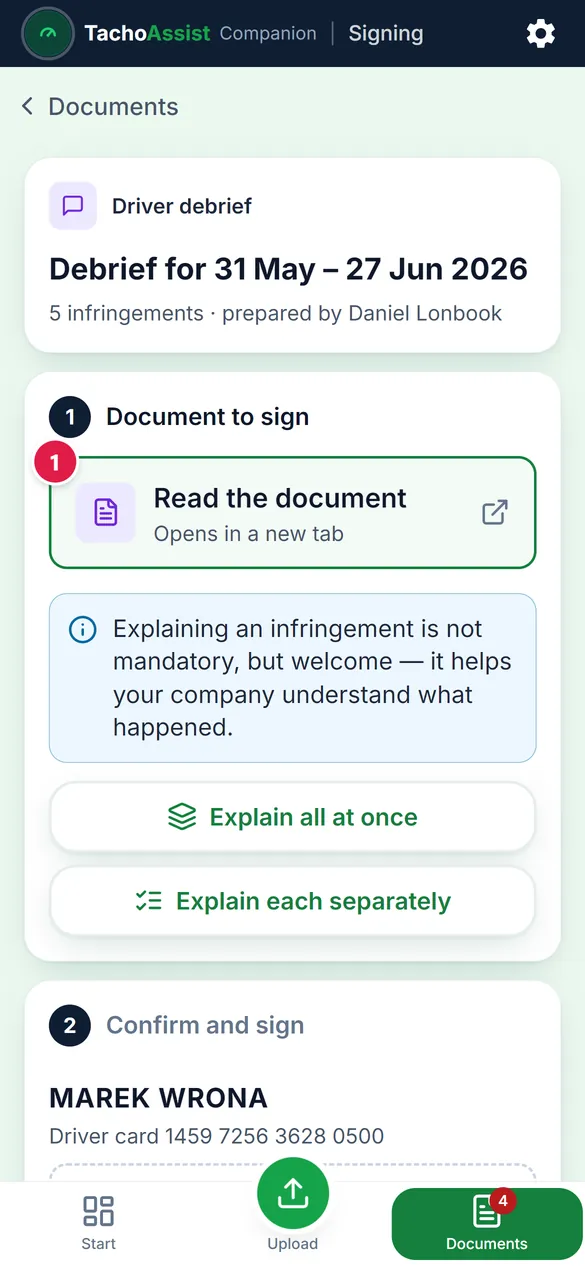
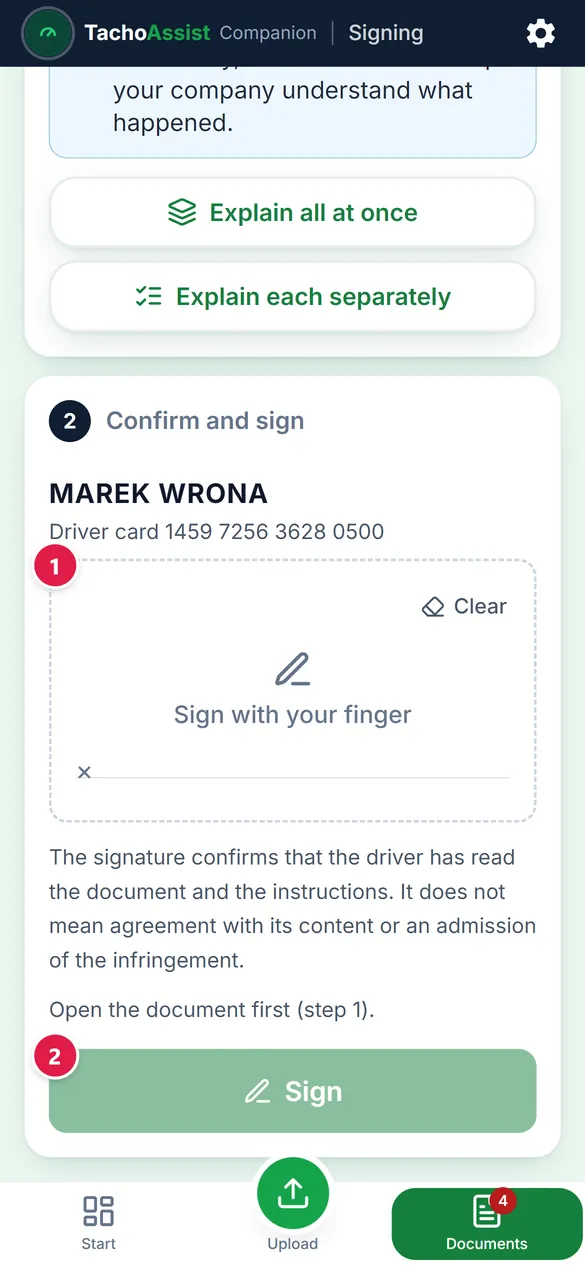
The driver signs in the Companion app.
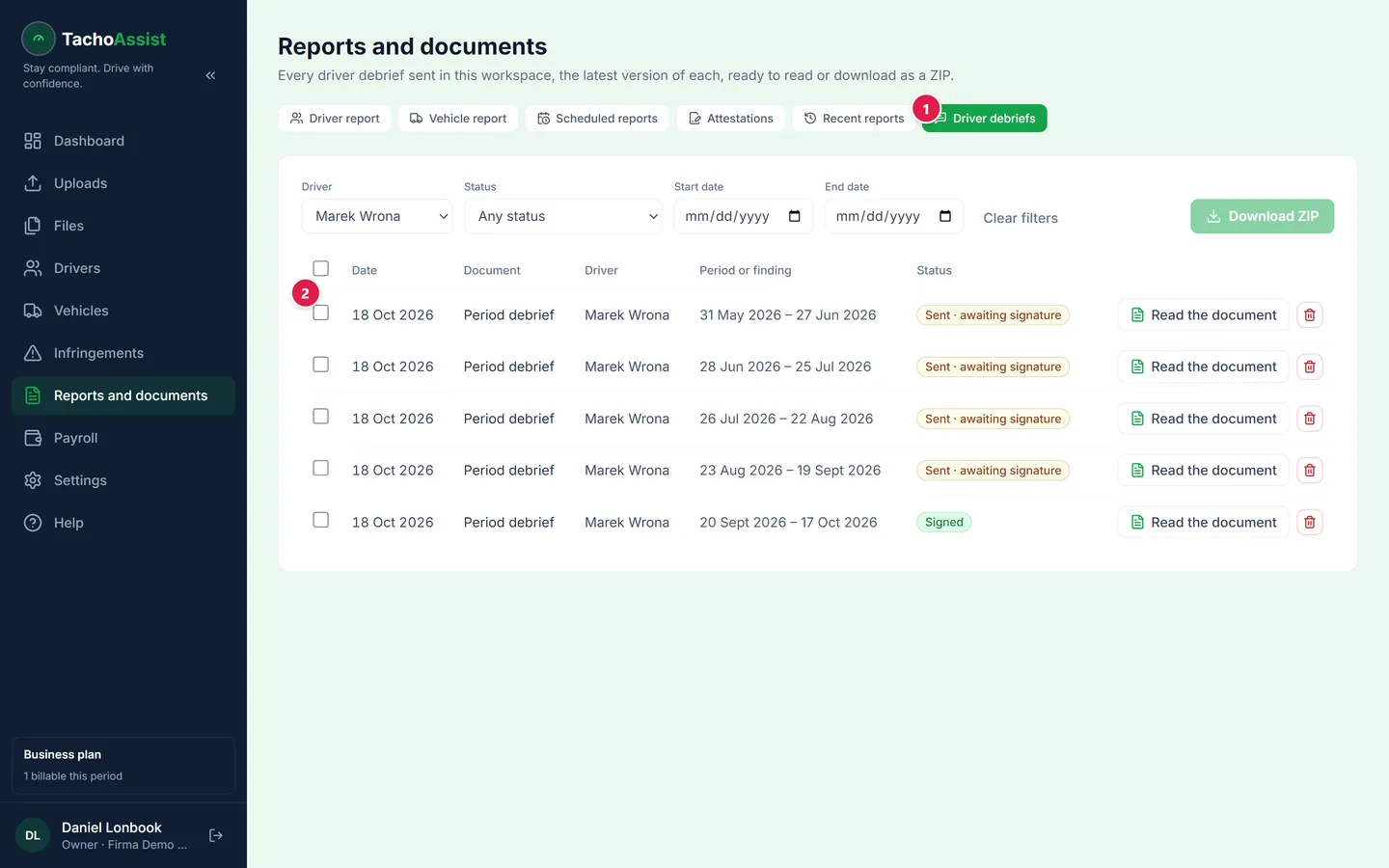
They read the instructions, can add an explanation and sign with a finger. The completed document is saved under Reports and documents → Driver debriefs.
Step-by-step guide: tachoassist-driver-debrief-guide.en.pdf (PDF, 1.0 MB)
On the driver's phone: the Companion app
TachoAssist Companion is a web app for your drivers that runs directly in their phone's browser — there is nothing to install from an app store. Each driver sees only their own data: inspection readiness, infringements with built-in guidance, and documents awaiting their signature. They can read the debrief in the app, add an explanation in their own words, attach photos and sign with a finger on the screen. The signature confirms that the driver has read the document and the instructions. It does not mean agreement with its content or an admission of the infringement.
What the law requires from operators
What the law requires. Regulation (EC) No 561/2006, Article 10(2), requires a transport undertaking to organise drivers' work, give drivers appropriate instructions and carry out regular checks.1 In Poland, Article 92b(1) of the Road Transport Act provides that no penalty is imposed for driving-time, break or rest infringements where the carrier ensured proper organisation and discipline of work and appropriate pay arrangements; the carrier must demonstrate this.2 No legislation requires a document specifically called a "driver debrief". A documented debrief can, however, help demonstrate that instructions were given and checks were carried out. TachoAssist keeps a record of that process.
In Great Britain, an operator's liability for drivers' infringements is linked to its own compliance with Article 10(1)–(2), including appropriate pay arrangements, proper instruction and regular checks. Traffic commissioners expect "detailed evidence" of an operator's arrangements for drivers' hours "rather than mere assertions" (Senior Traffic Commissioner, Statutory Document 1, paragraph 57).
1 EUR-Lex 02006R0561-20241231 / legislation.gov.uk/eur/2006/561/article/10.
2 Dz.U. 2025 poz. 1490, art. 92b ust. 1; NSA II GSK 989/08.
TachoAssist assesses your tachograph data against Regulation (EC) No 561/2006 and records the instruction you give. It is not legal advice; any fine is decided by the authority.
What exactly you get
- a document covering the selected period, with an instruction for each rule, automatically prepared in the document language (15 languages)
- the driver's explanation recorded under the instruction it relates to
- the driver's signature in Companion; you sign when sending the document
- completed documents under Reports and documents → Driver debriefs, with filters by driver and status
- a record of who gave each instruction and when — without changing the infringements, their number or any fine
- included in the Business plan at no extra cost
Questions
Is a written driver debrief a legal requirement?
No act requires a letter or a "debrief" by name. The law requires instruction and regular checks (Article 10(2) of Regulation 561/2006); courts and regulators look for a response to what checks find. A dated, signed conversation helps you show it.
Does the driver have to sign the debrief?
No law requires the driver's signature on such a document. In TachoAssist the signature confirms that the driver has read the document and the instructions; it does not mean agreement with its content or an admission of the infringement. Until the driver signs, the document waits in their app and you see "Waiting for the driver's signature".
What if the driver disagrees?
They can add an explanation in their own words, with photos if they want. It appears below the relevant instruction as "Driver's explanation" and stays on the record. This does not change the analysis results: it is the driver's side of the story, in writing.
Can the driver explain an infringement?
Yes. In the Companion app the driver writes what happened in their own words and can add photos. The explanation appears in the document below the relevant instruction; the photos are kept with the document. It does not replace the Article 12 note on a printout and it does not change the analysis results.
Where are signed debriefs kept?
Under Reports and documents → Driver debriefs, filtered by driver and status. Read any of them in the app, or tick several and download them as a ZIP. The status "Sent · awaiting signature" shows which documents the driver has not signed yet.
Does the driver need to install an app?
No. The Companion opens in the phone's browser from the invitation link. The driver signs in once and sees only their own data.
Is it included in my plan?
In the Business plan, yes, at no extra cost. The Driver plan does not include it.